Hours are self-reported
At the end of the week everyone rebuilds from memory where their time went. Reports come out rounded, incomplete or inflated.

AgilityTask
Project and time managementEach task’s timer starts and stops when the task changes status, and Microsoft Teams meetings are logged with the time each person was actually connected. Nobody has to remember to log hours.
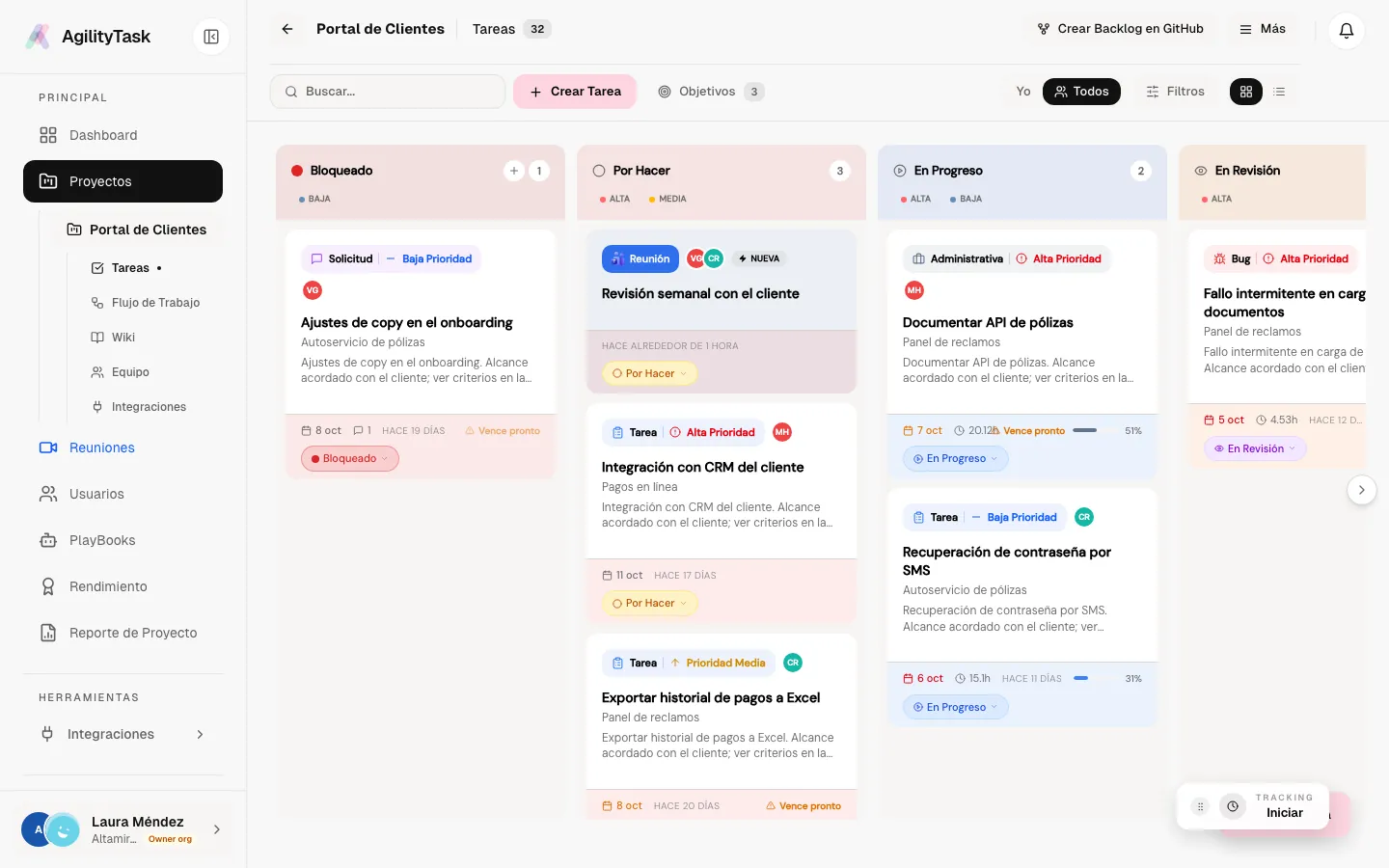
Screenshots use demo data. The app UI is in Spanish.
With that data, leads and teams see early which project is at risk and where capacity goes, so they can correct course before delivery slips.
At the end of the week everyone rebuilds from memory where their time went. Reports come out rounded, incomplete or inflated.
A good part of the week goes into meetings that show up on no board. The project looks cheaper than it really is.
“Which project is at risk?” or “how much goes into firefighting?” have no immediate answer.
Every task has a timer that opens and closes on its own when the task changes status: move it to “In progress” and the clock starts; pause it, send it to review or finish it, and the clock follows.
A meeting is linked to a project in a couple of clicks and becomes a task that moves on its own: pending before, in progress during and completed when it ends.
Because time and progress are recorded automatically, reports come from data that is already there. “Which project is at risk?” is answered by opening a screen.
Every project shares five base statuses (To do, In progress, In review, Done and Discarded), so metrics are comparable across projects. On top of them you add your own columns, each with three switches.
Entering the column stops the clock; leaving it starts it again. The task shows its accumulated paused time.
A task can’t move into that column without saying why. The reason is saved as a comment, with date and author.
Decides whether tasks in that column add to the project’s completion percentage.
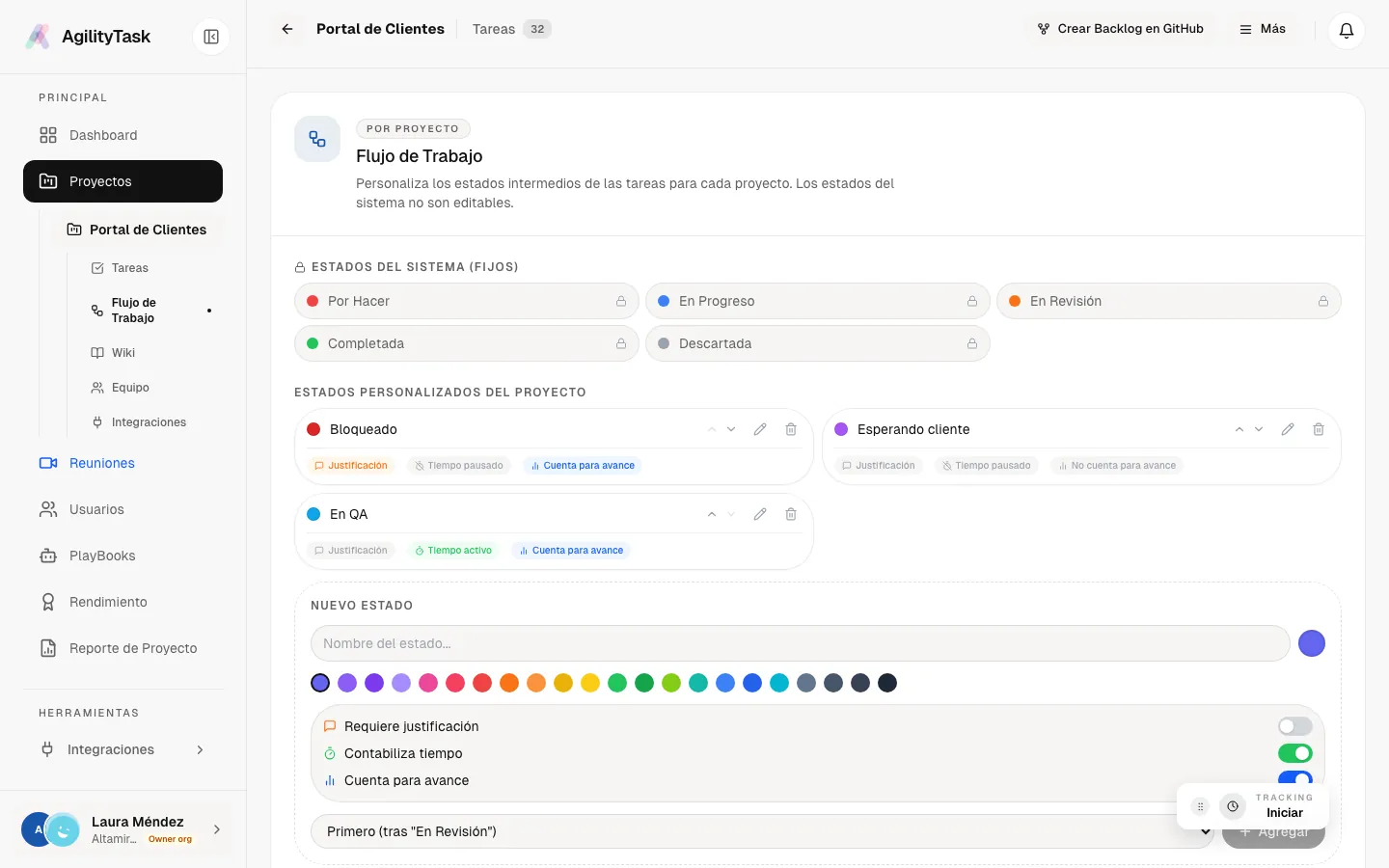
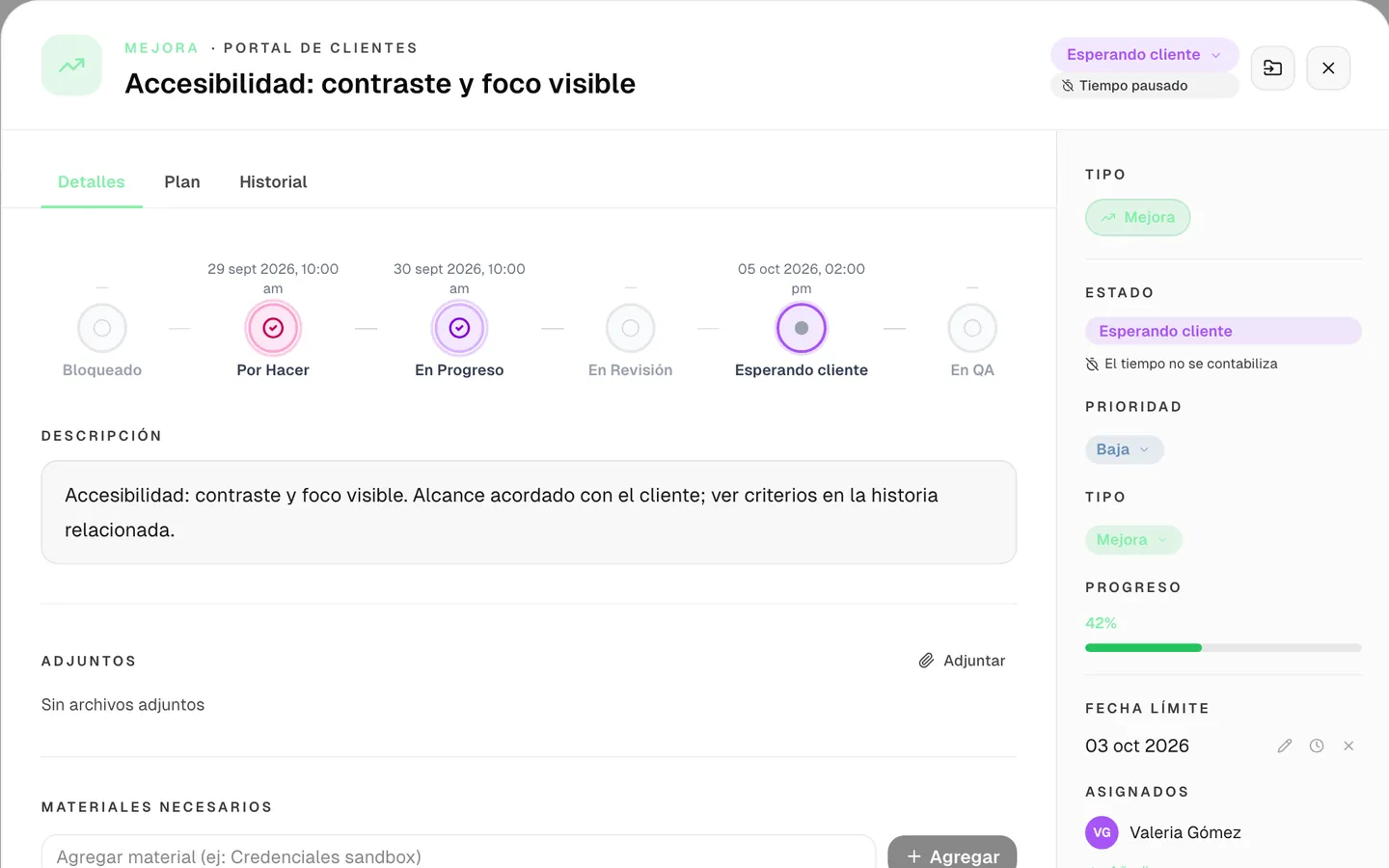
The system rebuilds how long each task sat in pause columns and subtracts it from cycle time; the report says how many tasks were paused and how many hours were removed. And if someone starts a task with no due date, the system asks for one, so on-time delivery is measured on every task.
Five screens built from the same data, without anyone asking for a single timesheet.
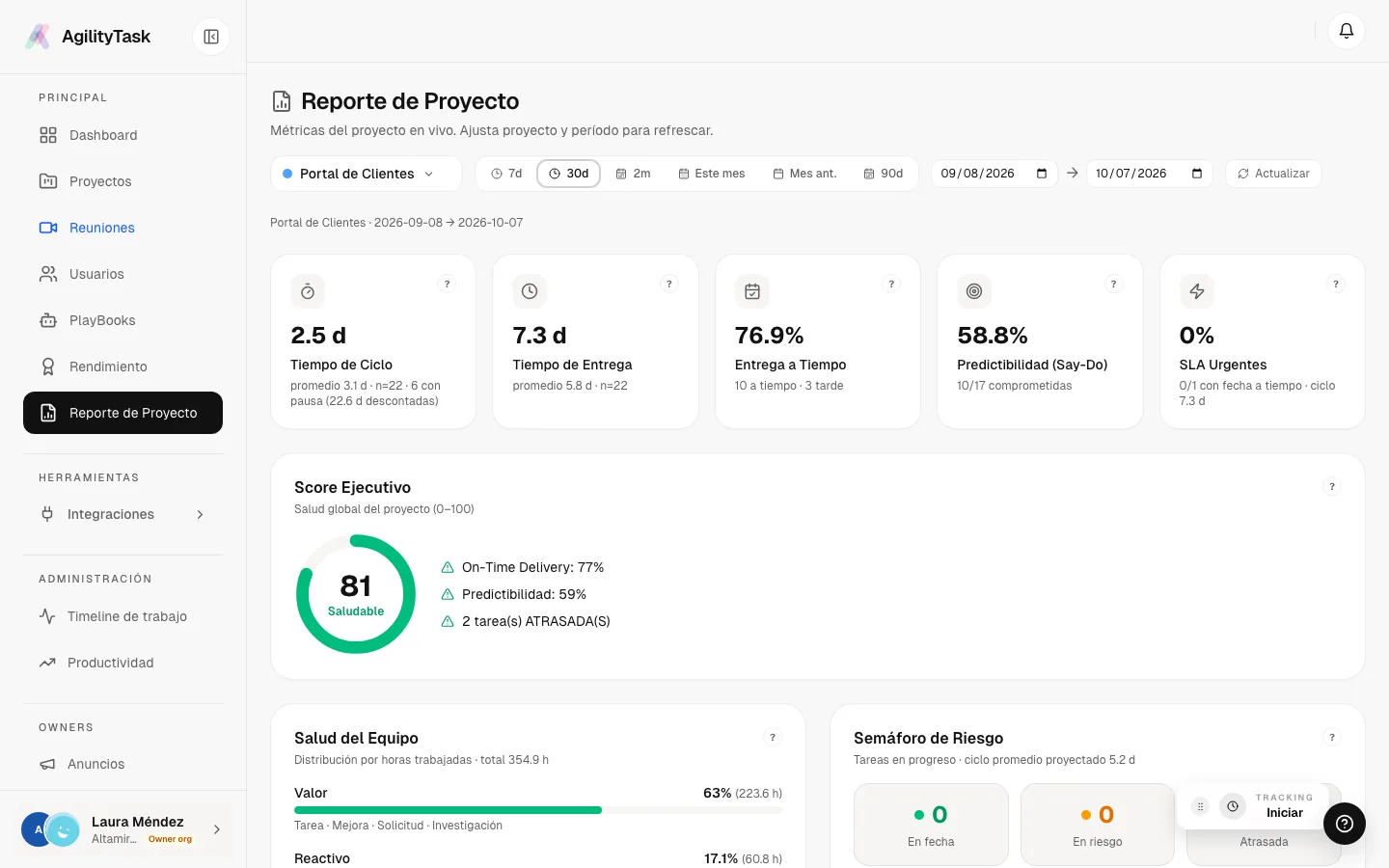
An executive report ready to present
Built on standard flow-management methodology: times as median and 85th percentile, not averages distorted by outliers. It includes a guided tour that explains every metric.
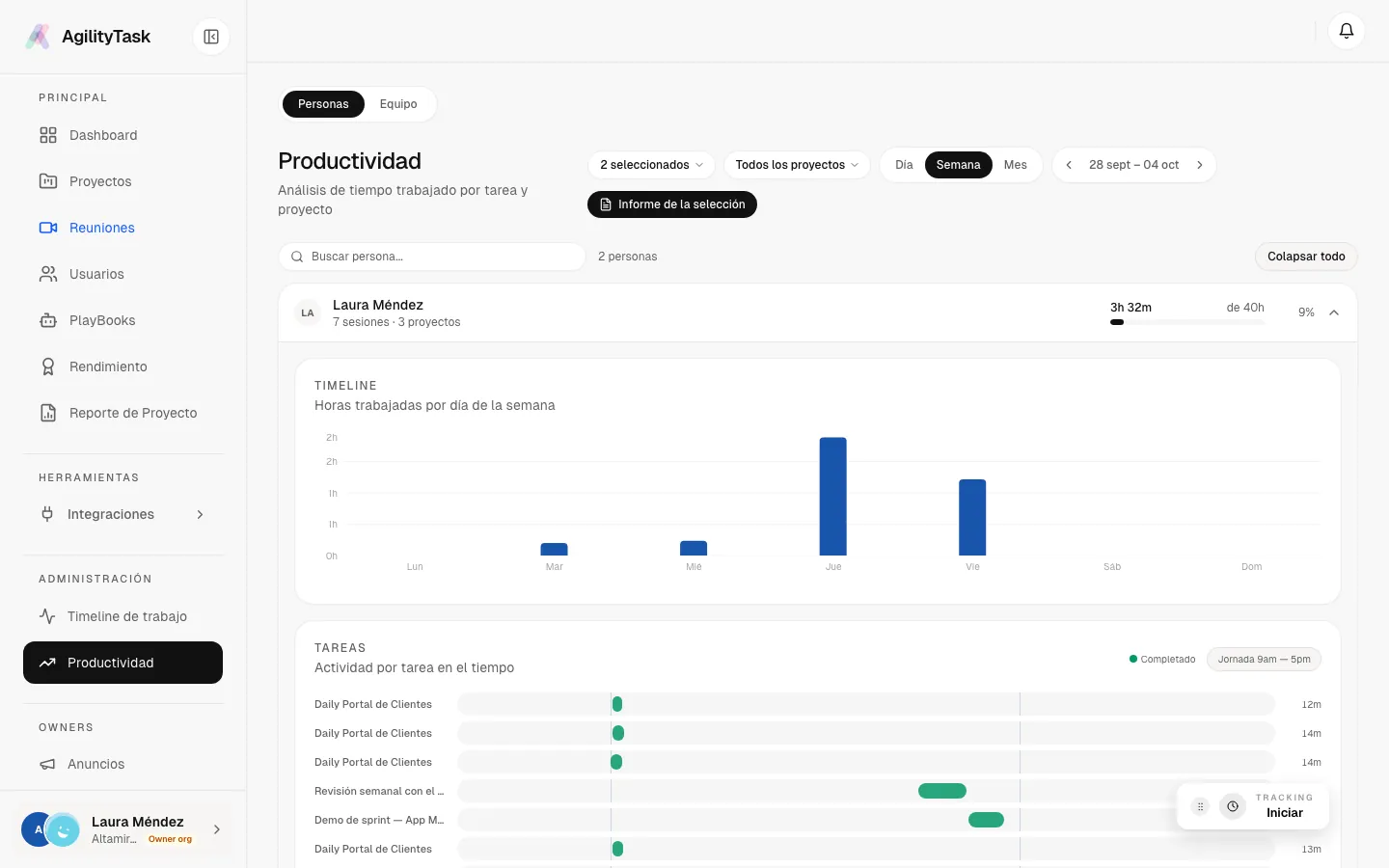
Hours per day and activity per task
Hours worked per day, activity per task across the workday, breakdown by type and status, and the life cycle of every task. Daily meetings show up with their real connected time.
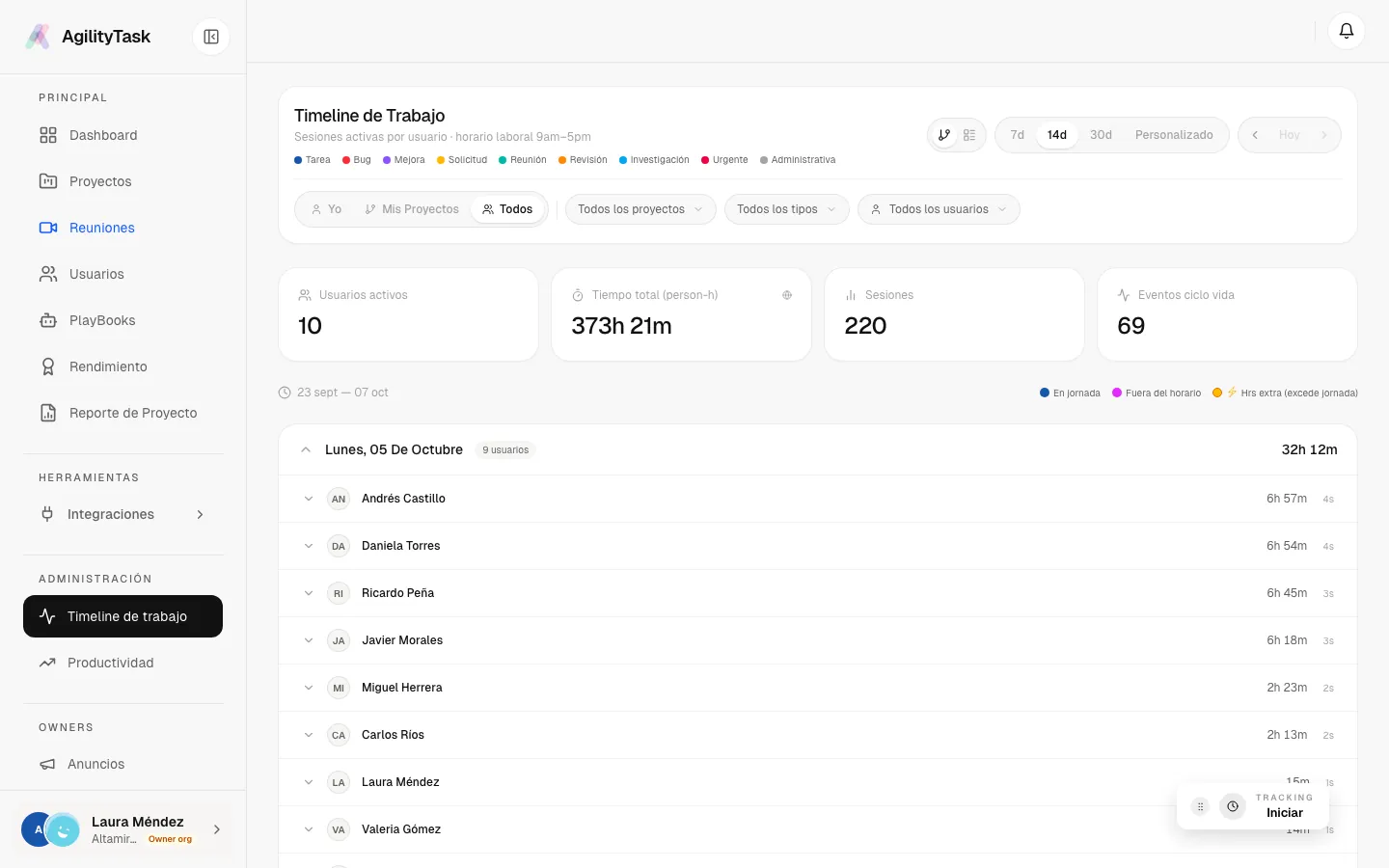
Each person’s day, in order
Sessions per person and per day, separating what happened within working hours, outside them and as overtime. The schedule is a visual reference: all time worked counts.
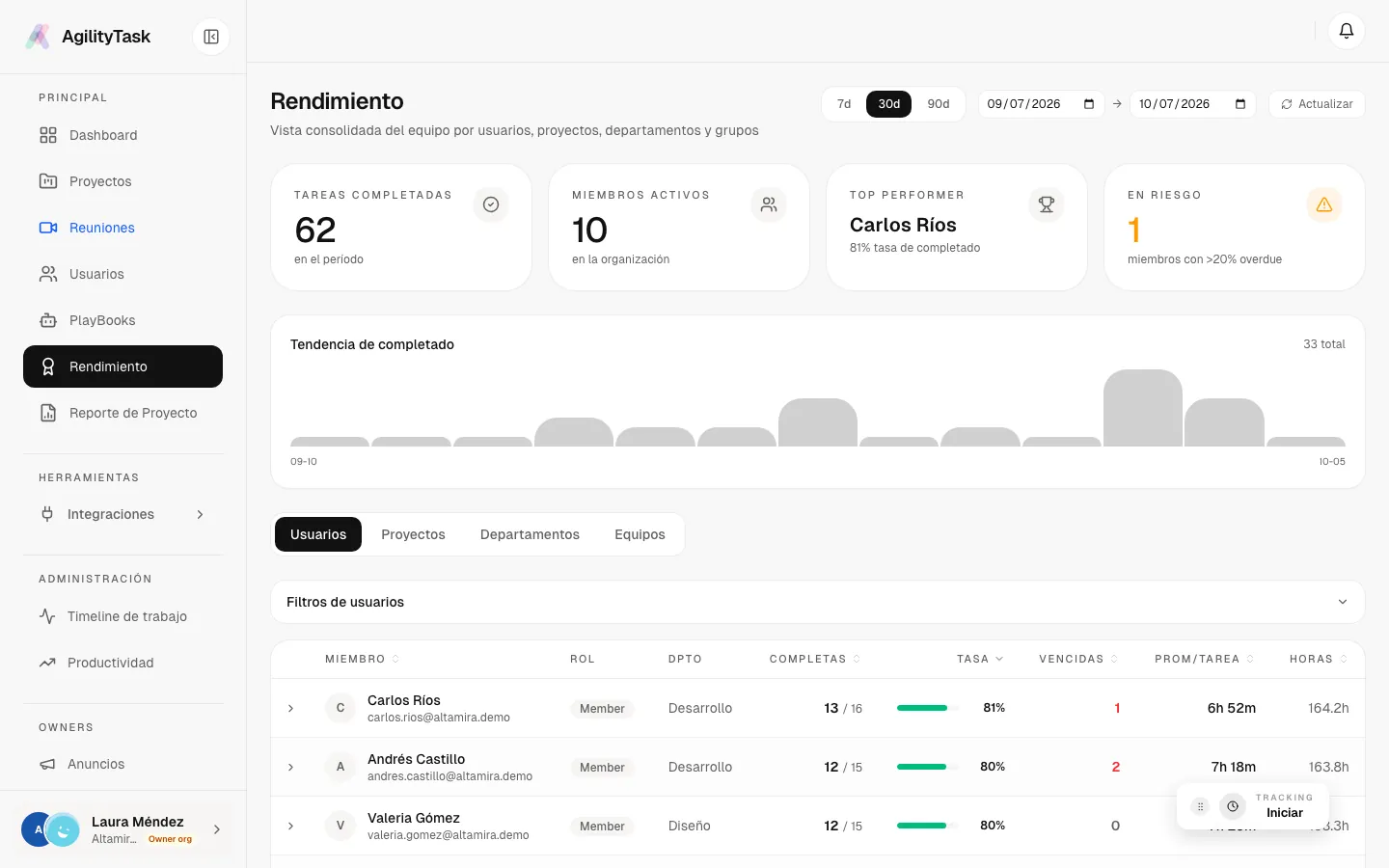
The consolidated team view
Analytics by user, project, department and team: completed tasks, completion rate, overdue tasks, average time per task and hours, with trends and individual detail.
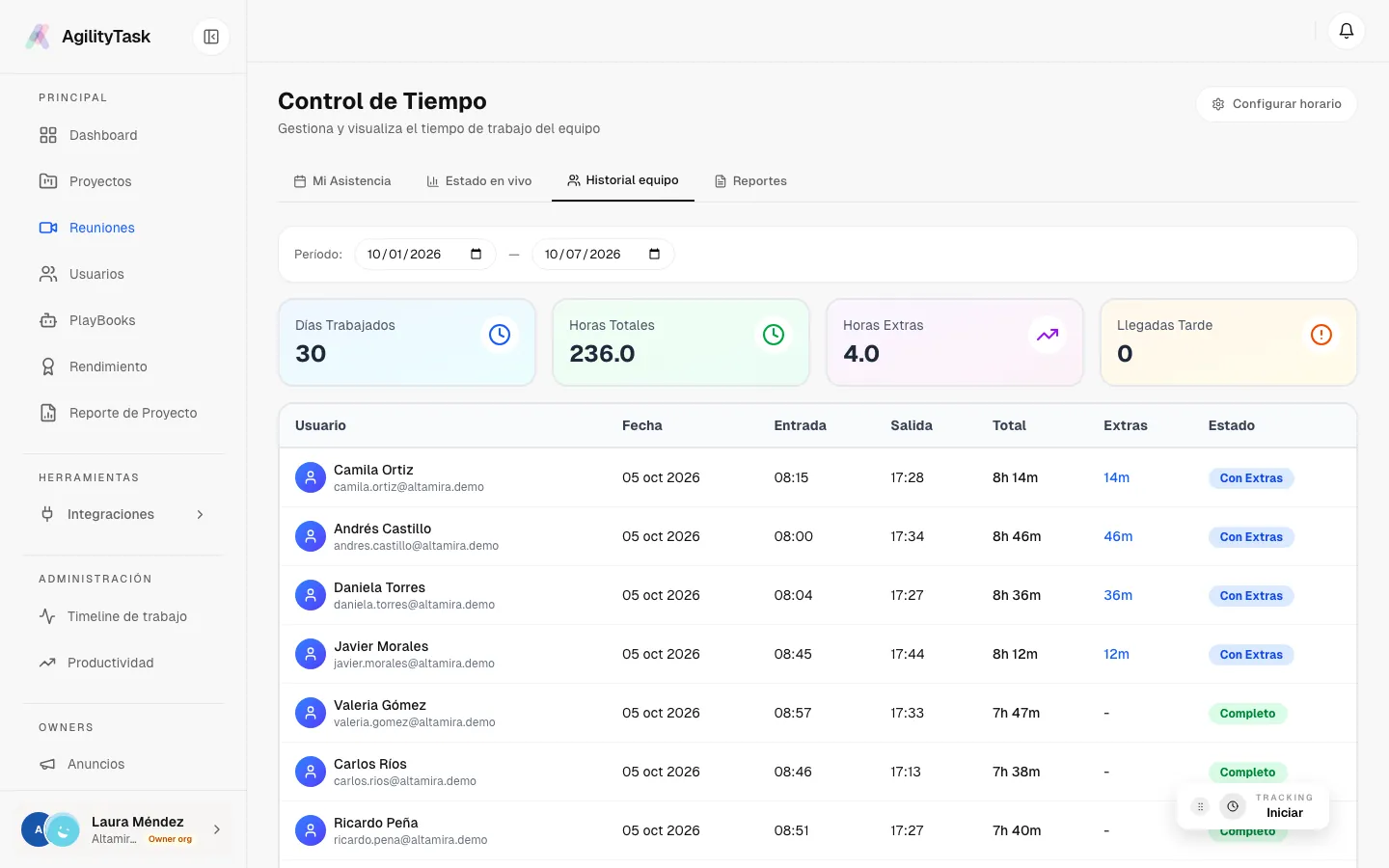
Clock-in with your organization’s rules
Clock-in, lunch, breaks and clock-out, with rules set by each organization. Clocking out for lunch stops the task timer.
Screenshots use demo data. The app UI is in Spanish.
Clocks in and sees the day’s tasks.
Moves a task to “In progress”: the timer starts on its own.
Joins the Teams daily; when it ends, the meeting is already completed with the connected minutes.
Back on the task, opens a PR on GitHub and it shows up linked to the task.
Clocks out for lunch; the task timer stops.
Moves the task to review and clocks out.
At the end of the month, the project lead opens the Project Report and has the health score, the KPIs and an executive summary.
Each organization can use its own OpenAI API key, and usage is logged. AgilityTask can also be operated from Claude and ChatGPT, connected securely over OAuth.
Turns free text, such as meeting minutes or a to-do list, into structured tasks. Improves descriptions, suggests titles and generates subtasks.
Generates several resolution plans from different angles, evaluates them and learns from the one the team picks.
Transcribes audio, summarizes notes and generates podcast-style audio summaries.
QA assistant: describe a bug out loud, attach a screenshot and the task is created.
Assigns a topic to every task and generates daily summaries and project analysis.
An agent talks with you when a task closes and records how it was solved and what was learned.
Meetings, real attendance and automatic hours.
Branch per task, PRs and commits linked automatically, synced issues and sprints, multiple repositories per project.
Hypernova Labs’ portfolio portal consumes AgilityTask’s hours and metrics.
60+ endpoints, events with automatic retries and third-party apps connected without sharing passwords.
One person can belong to several organizations, with a different role in each.
Owner, Management, Member, Reader, Support, External, Publisher and HR. An External user only sees the projects they were invited to; HR manages people and hours without project access.
Allowed email domains, encrypted integrations and tokens, audit log and session revocation.
Invoices with sequential numbering, client tax data, hourly rate, currency and period. Exported to PDF and sent by email.
Skills catalog with points per person, a record of who assigned them and why, rankings and search by skill.
If someone is in a meeting with no project, the app reminds them. Every meeting exports with attendees and connected time.
Installs on desktop or phone, with push notifications and a lightweight tracker to start the timer.
Know what each project costs and bill by the hour with evidence.
Connect tasks, code and time in one place.
Where meetings are a big part of the work and today go unseen.
Reliable delivery metrics without building them by hand.