Visitor control
Check-in and check-out of external people with ID, photo, signed access policy, host notification and QR pre-registration.

NovaGate
Access control, attendance and productivityNovaGate replaces the paper visitor log and the time clock with a single, auditable flow: visitors with photo and signature, attendance through facial recognition or the portal, and focus sessions your team plans and their supervisors review.
Screenshots from a live environment with personal data blurred.
Everything is centralized per company and available in real time to the people in charge, with reports you can export to PDF and Excel.
Check-in and check-out of external people with ID, photo, signed access policy, host notification and QR pre-registration.
Clock in at the office kiosk with facial recognition or from the web portal when working remotely, with history, automatic close and alerts.
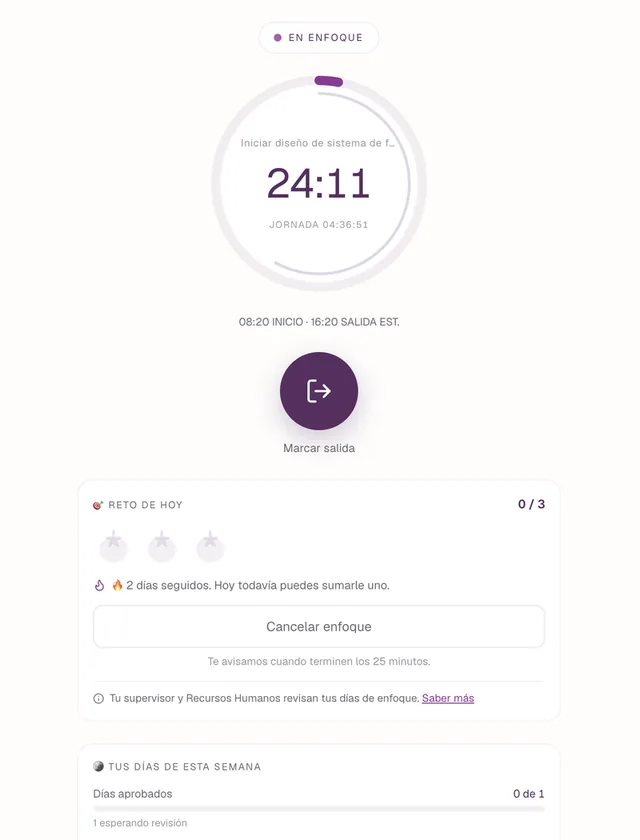
Daily to-dos and Pomodoro focus sessions, reviewed by supervisors and rewarded for every completed day.
Who is inside right now, since when, who they’re visiting and with what evidence: photo, signature and a CCTV capture.
They check in with their face at the kiosk or with one click in the portal, and sign in with their Microsoft work account.
Every visitor accepts an identified version of the access policy, and reports come out audit-ready.
Multiple companies, sites and areas on one platform, with data isolated per company.
A web portal, installable on your phone, for admins, supervisors and employees. Everyone sees what their role allows.
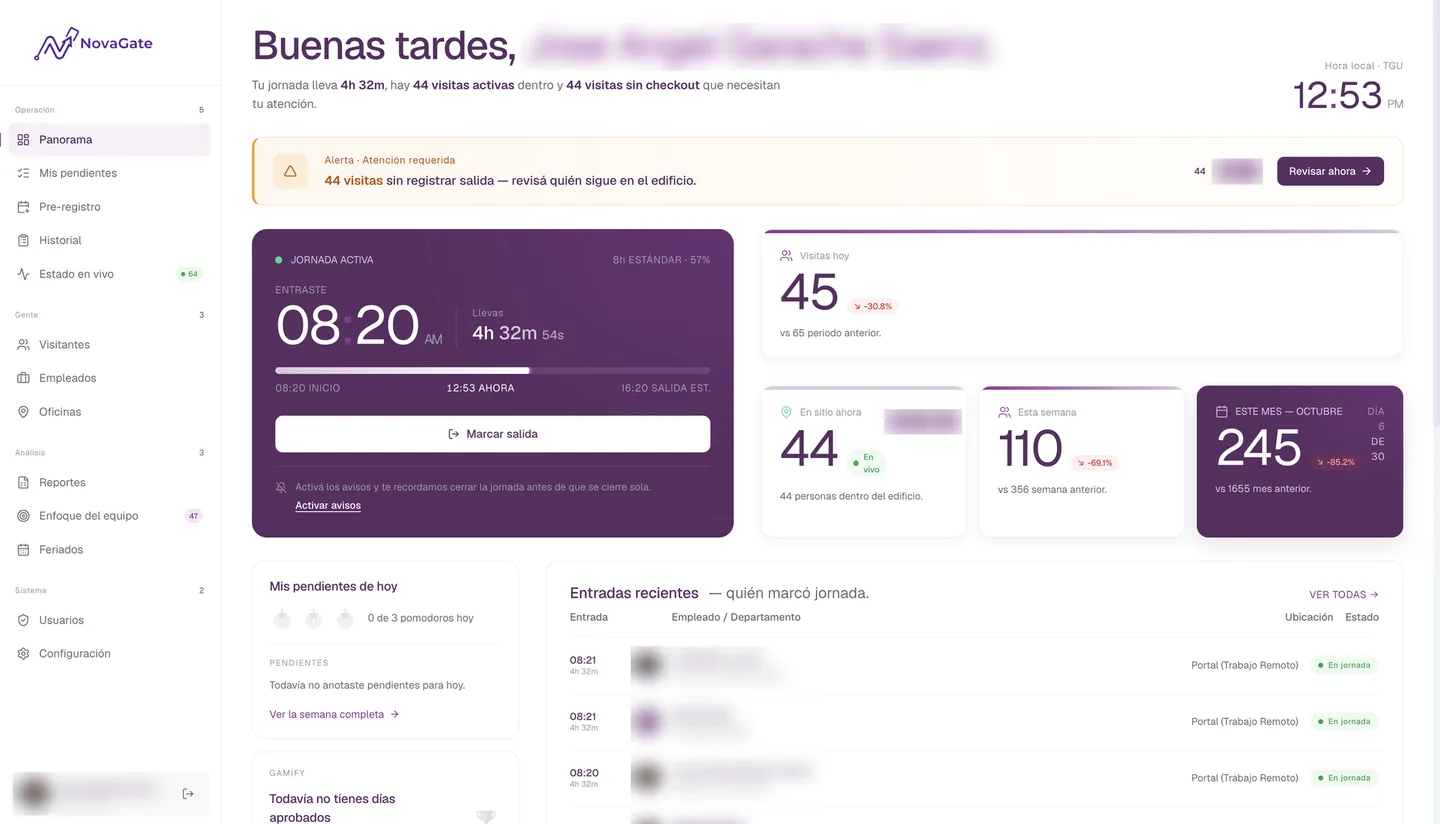
The day at a glance
The active shift, today’s visits, people on site, alerts, to-dos and recent check-ins, adapted to the role of whoever is looking.
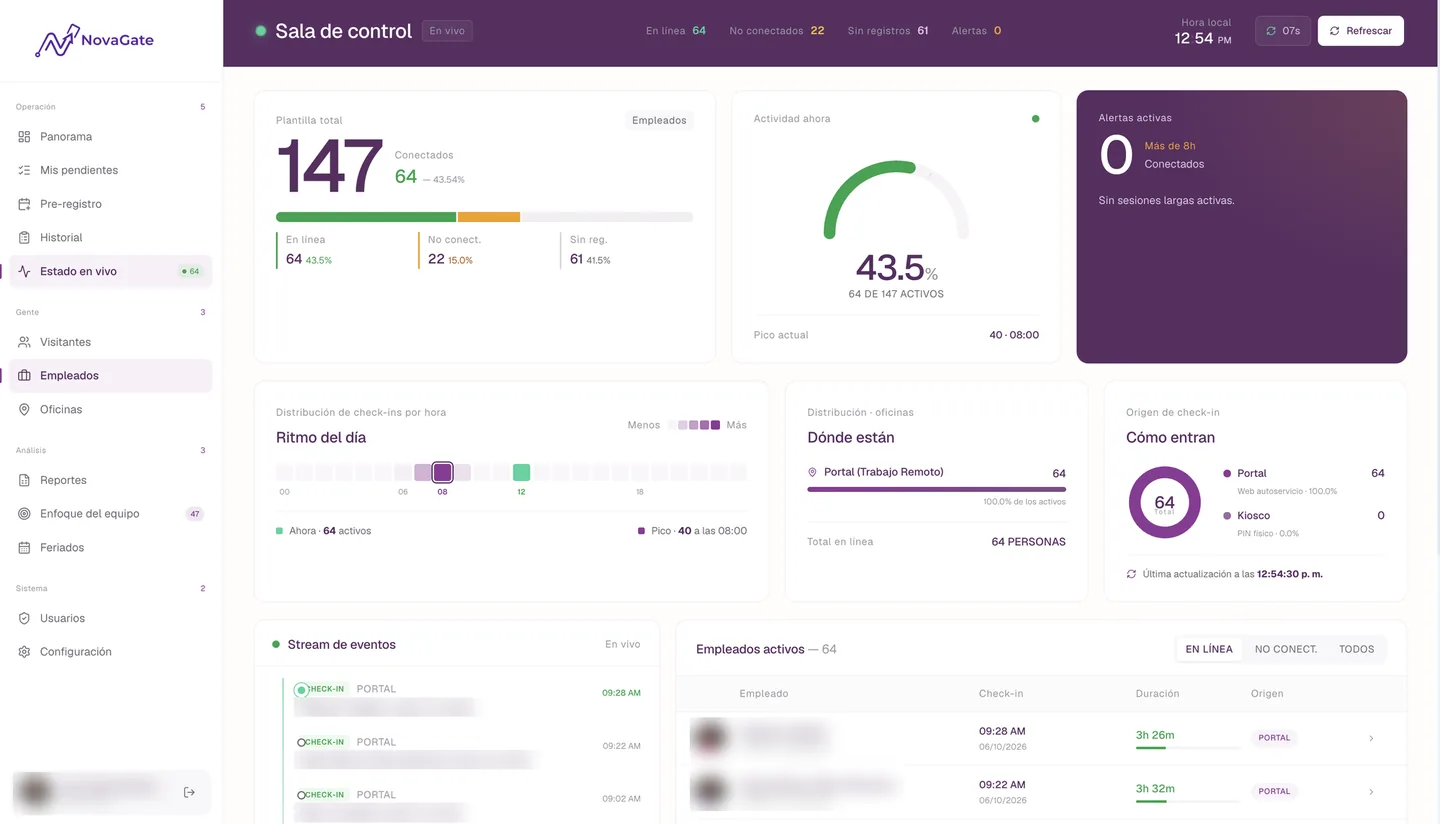
The control room
Who is connected or inside right now: check-ins per hour, distribution by site, where each clock-in came from and a real-time event stream.
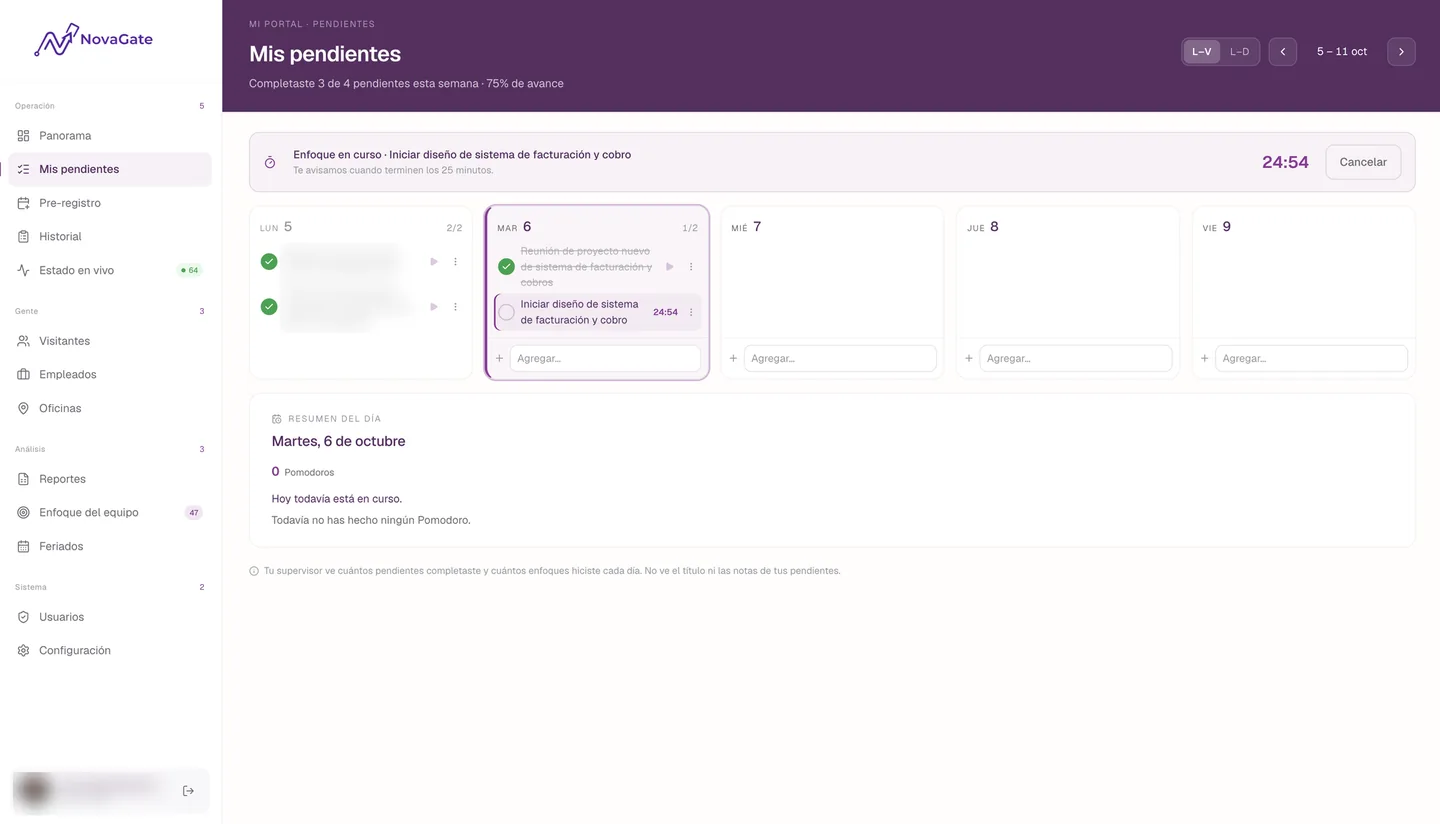
The week, planned
Each person writes down their to-dos for the day and works in timed focus sessions. Their supervisor sees how many they completed and how many sessions they did, not the titles or notes.
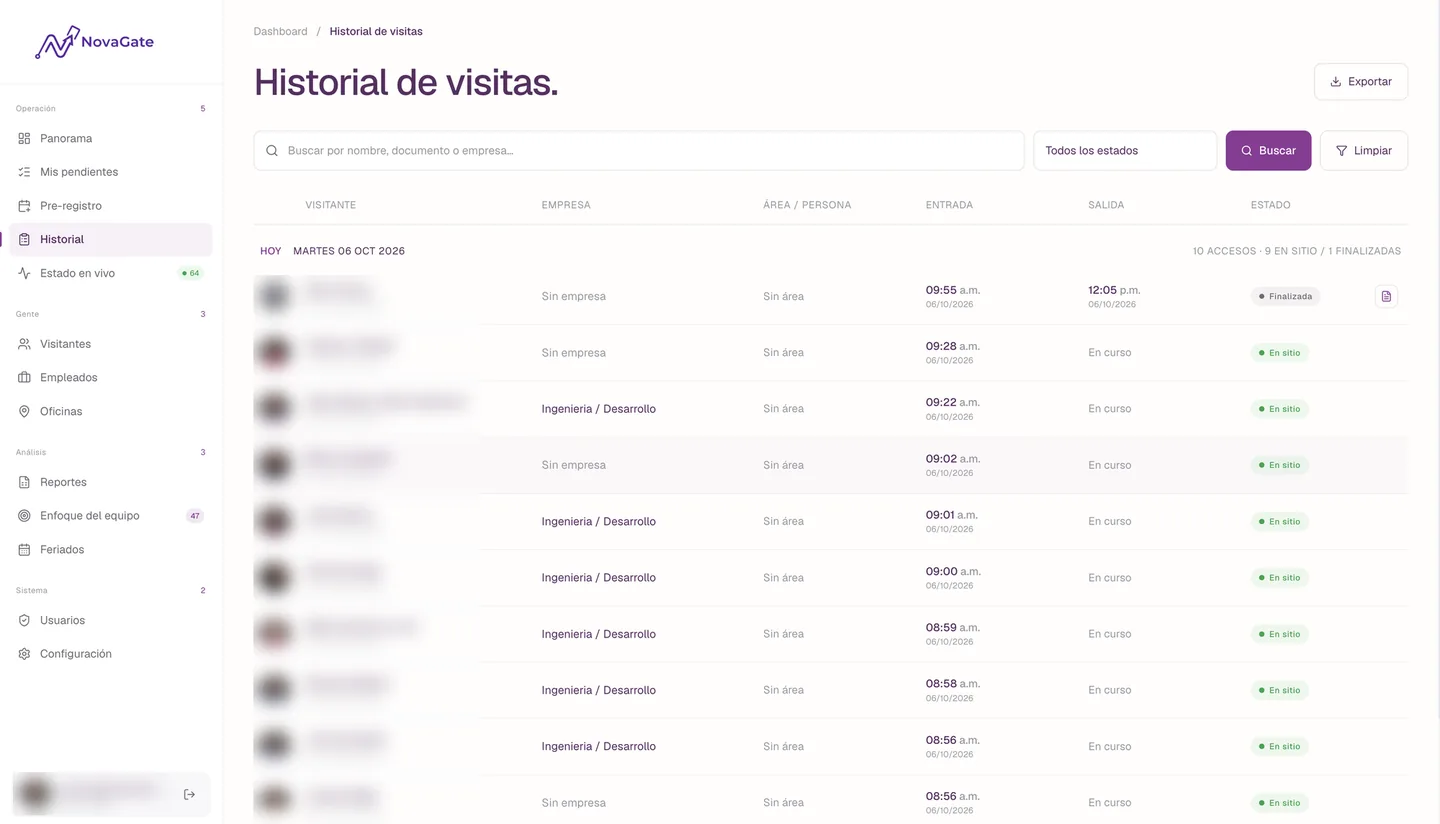
Audit-ready
Filterable history of visits and shifts, with the detail of every record, and reports you can export to PDF and Excel.
Screenshots from a live environment with personal data blurred.
The kiosk records, the portal manages and every step leaves evidence.
Each employee plans their to-dos and works in focus sessions. Their supervisor reviews the day and Gamify turns it into a reward.
Session length, daily sessions, days per week, expected hours and tolerance.
Daily to-dos, timed sessions, streaks and a celebration when the week closes.
From their team panel they approve, reject or excuse each day.
Each approved day can grant coins in Gamify, for the amount the company sets.
Installed at the front desk of each site. Visitors and employees use it without signing in: registration, QR scanning, facial recognition, digital signature and check-out.
For admins, supervisors and employees: overview, attendance, to-dos, management, reports and settings.
Holds the business rules, permissions, biometrics, notifications, evidence and scheduled jobs.
Employees sign in with their work account, with no NovaGate-specific passwords, and the staff list syncs from the directory.
Each role maps to a set of permissions. Removing a role takes effect on the next action.
Employees and visitors are managed by different roles. Biometrics, third-party photos and the access policy are reserved for the Administrator.
Each company has its own sites, areas, employees, visitors, settings and reports, separate from the rest.
Sessions last 12 hours and the portal warns before they expire.
Every write to the platform’s records is logged.
We set up your company. Your team just signs in with their Microsoft account.
We create your company and register your Microsoft tenant.
Employees sign in with their work account and their profile is created automatically.
Name, email and department come from the directory.
Each office with its schedule, internal areas and CCTV cameras.
The Administrator assigns roles from Users. By default, everyone is an Employee.
Notifications, integrations, geofences, teams, focus goals, holidays and access policy.
The tablet pairs with a PIN and each employee enrolls their face.
Your front desk logs visits and your team clocks in from day one.
One person can hold more than one role, and their permissions are the sum of each.
Every permission in the company: roles, settings, cameras, biometrics and new versions of the access policy.
Staff list, shifts, holidays, sites, geofences, focus teams and employee reports.
Visitor records and history, QR pre-registrations, host notifications and visit reports.
Looks up and registers visitors, sees history and pre-registrations, and checks sites and areas.
Reviews their team’s focus days: approve, reject or excuse. The role is granted automatically when named supervisor.
Clocks in, manages their to-dos and focus sessions, pre-registers their own visitors and earns rewards.