Catalog & commercial
Onboard products, set prices and prepare promotions.

 Cloud commerce platform
 Aludra puts everything a commercial company needs to sell and operate in one place: products and pricing, customers, sales, field rep work, loyalty and delivery logistics.
Screenshots from a demo environment. Personal data has been hidden.
Six situations that keep showing up in companies selling products across several branches, and how Aludra solves them.
Catalog, prices and promotions are maintained in one place and shared from there with every sales channel.
Catalog (PIM)Visits are planned, assigned and measured against targets.
Route salesPoints, tiers and campaigns that reward repeat purchases.
LoyaltyAn engine decides where and when each order is fulfilled, and every decision can be reviewed.
Order allocationInvoices, quotes and orders in a single dashboard, with Excel export.
Web SalesEach person sees only what their role and the contracted services allow.
AdministrationEach company sees only the modules and companies it subscribed to, and each person only what their role allows.
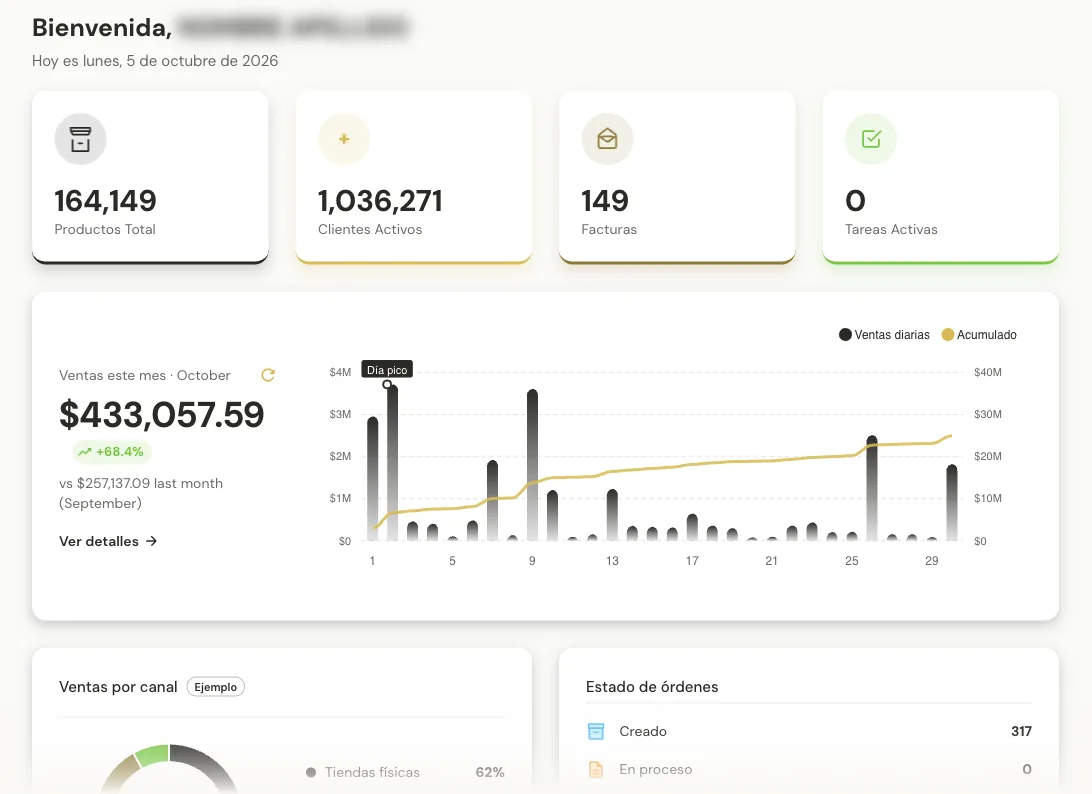
Your business at a glance when you log in
What it isThe first screen everyone sees. It sums up how the business is doing: active products and customers, invoices issued and this month’s sales versus last month.
Who uses itAnyone using the portal; the menu depends on their role and what the company subscribed to.
A manager opens the portal in the morning, checks month-to-date sales and goes straight to the module they need.
Everything about every product, in one place
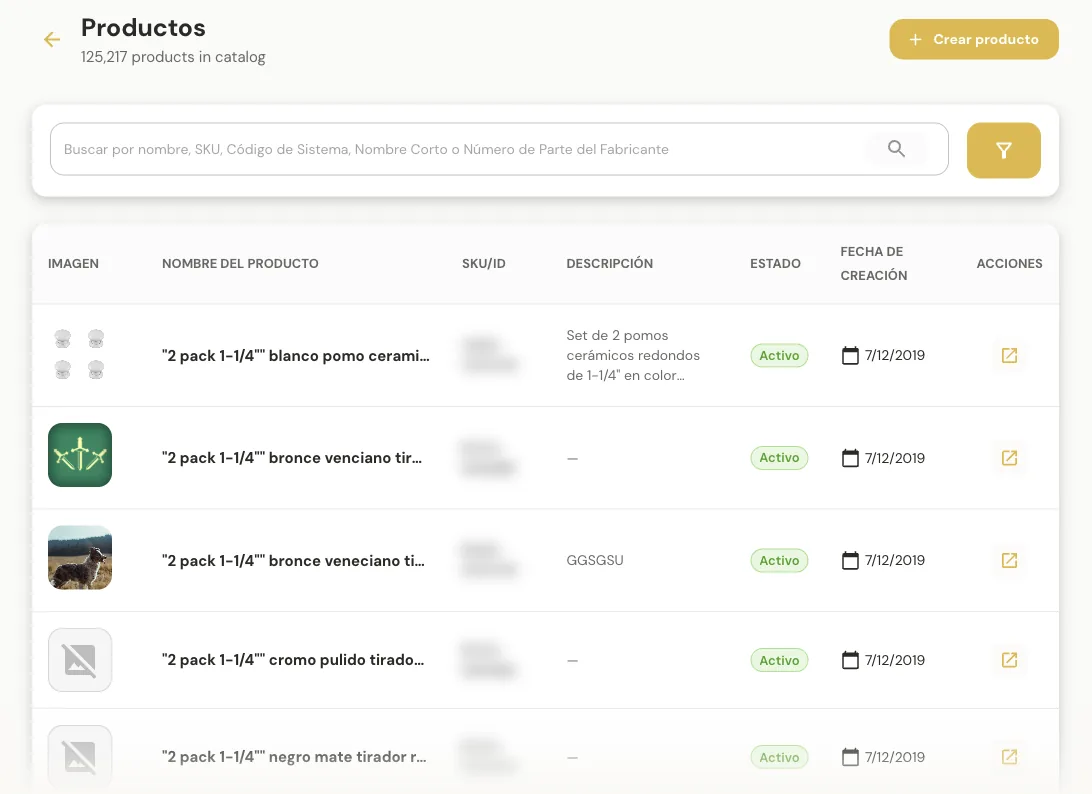
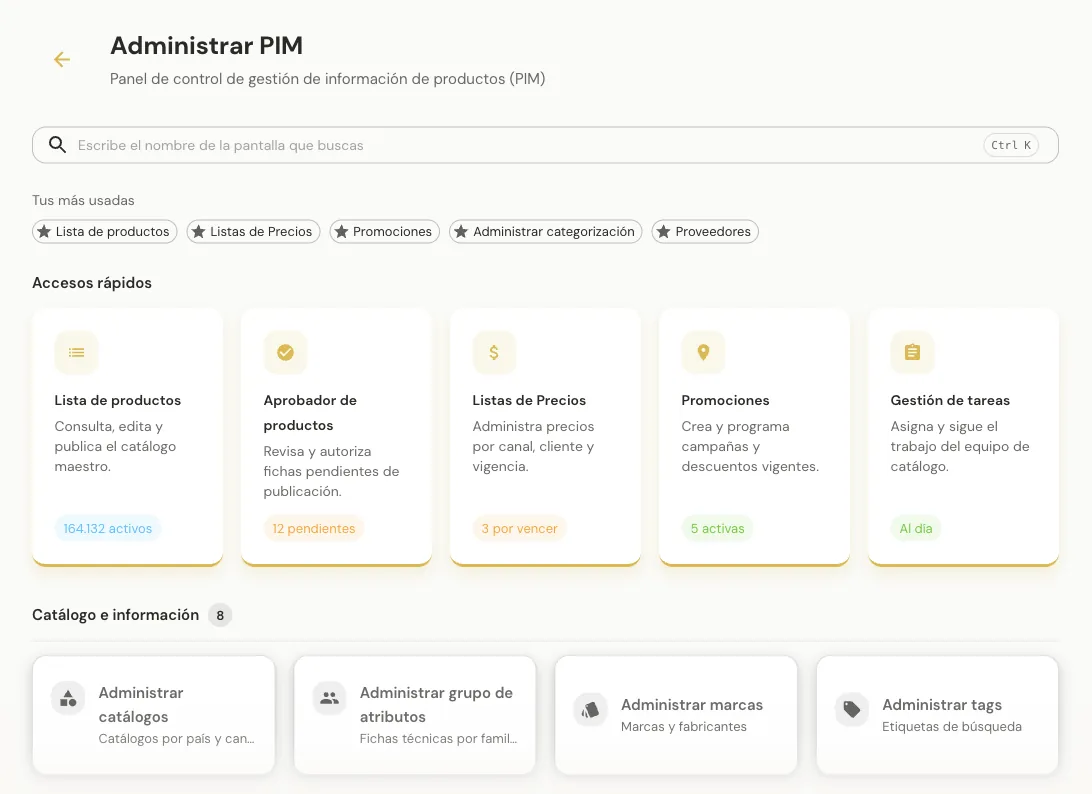
What it isThe central place for everything known about each item: data, images, categories, prices, promotions and inventory. What’s loaded here feeds every sales channel.
Who uses itCatalog and commercial teams: product onboarding, pricing and promotions.
A new product is loaded with photos and attributes, priced in a list and added to a seasonal promotion.
Field rep work, organized
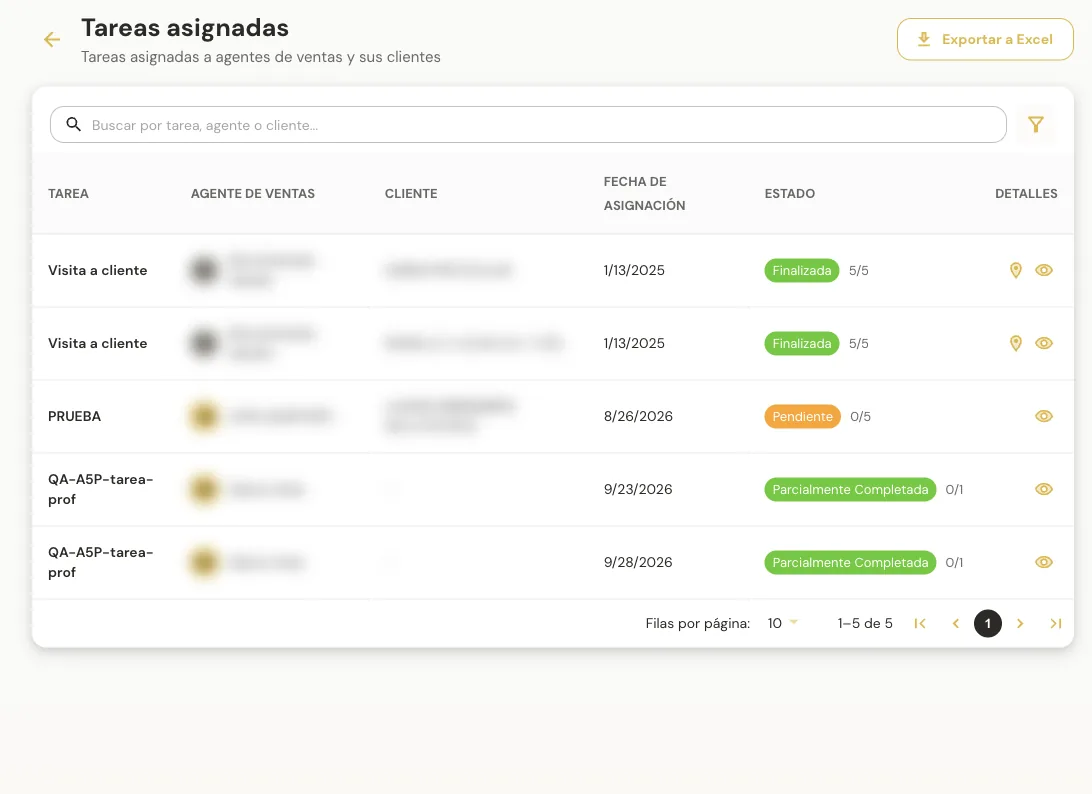
What it isPlan, assign and track the visits and tasks reps carry out outside the office, on the street or in store.
Who uses itSales supervisors who plan and review; reps who receive and complete tasks.
A supervisor assigns a rep this week’s customer visits, then checks how many were completed.
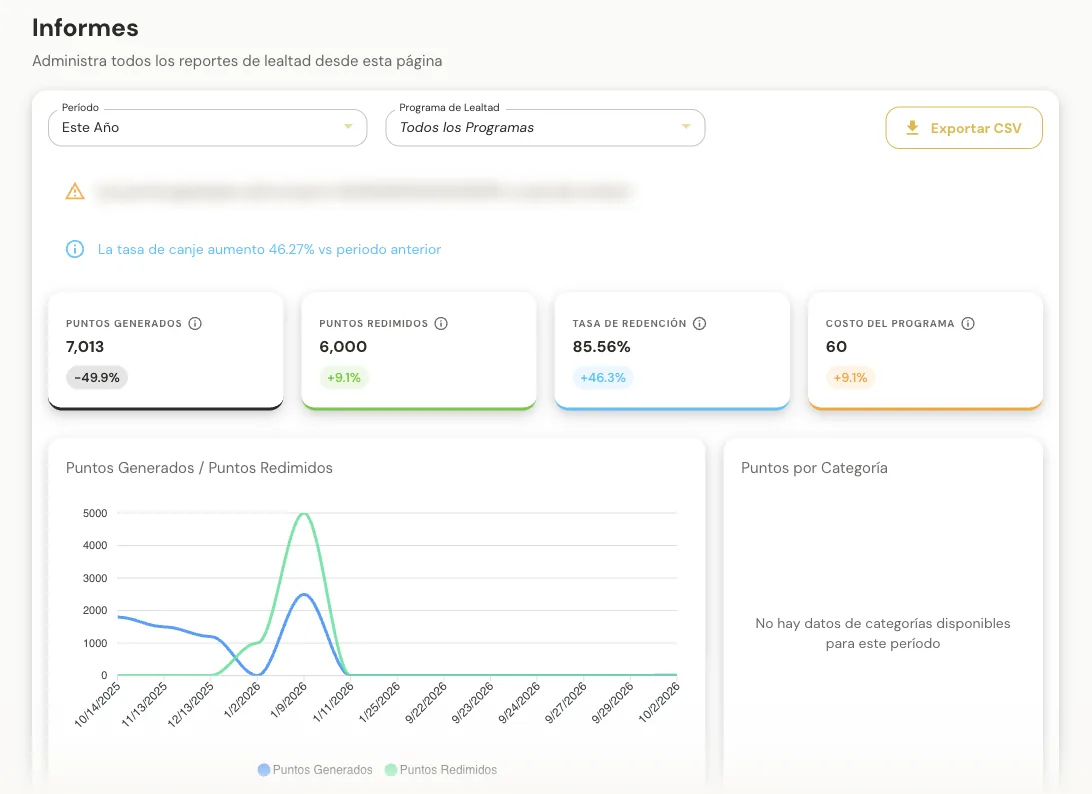
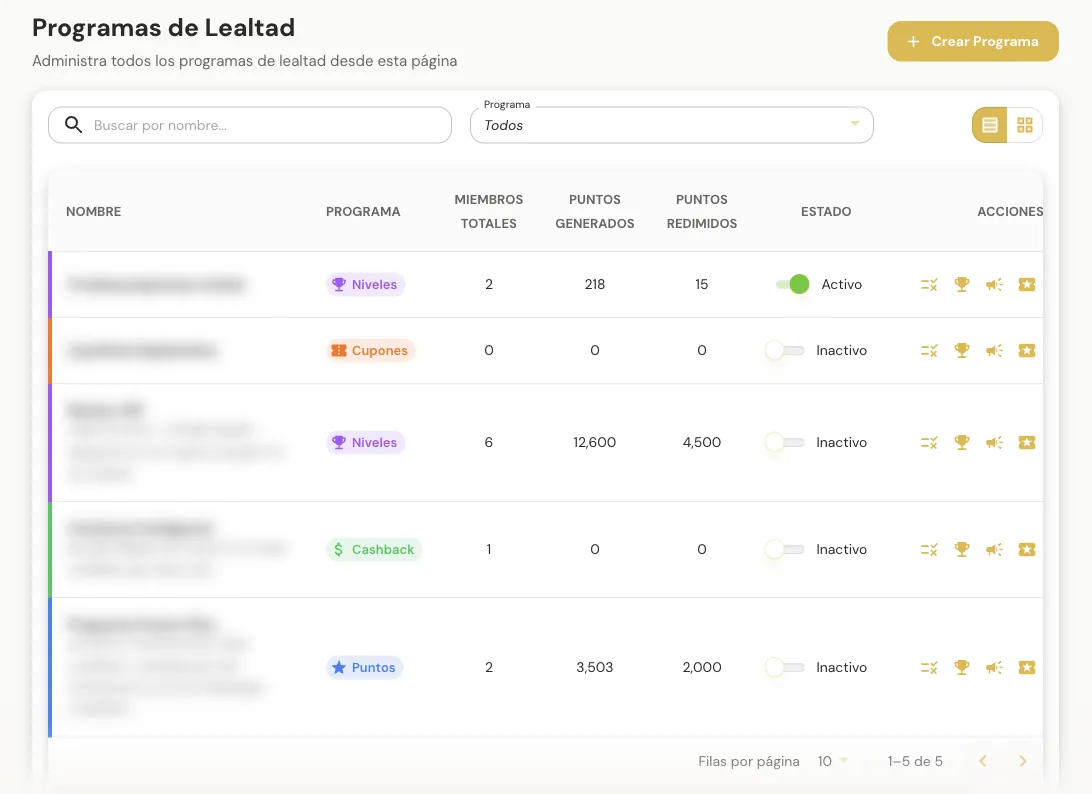
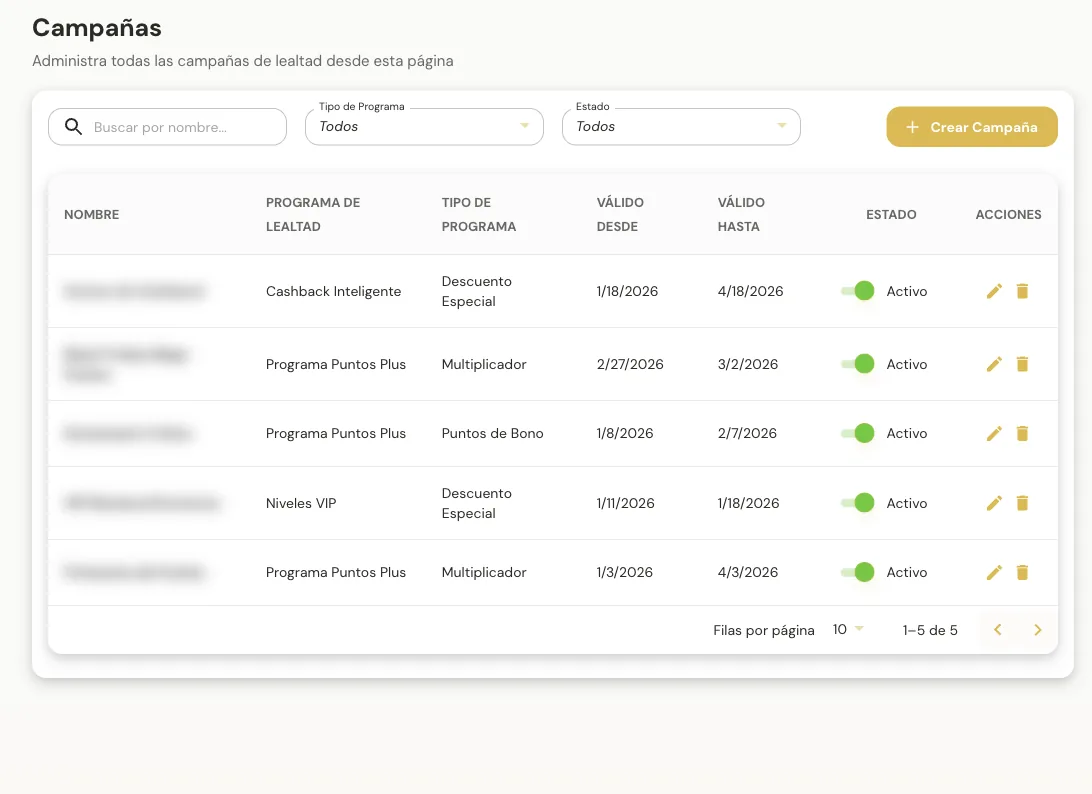
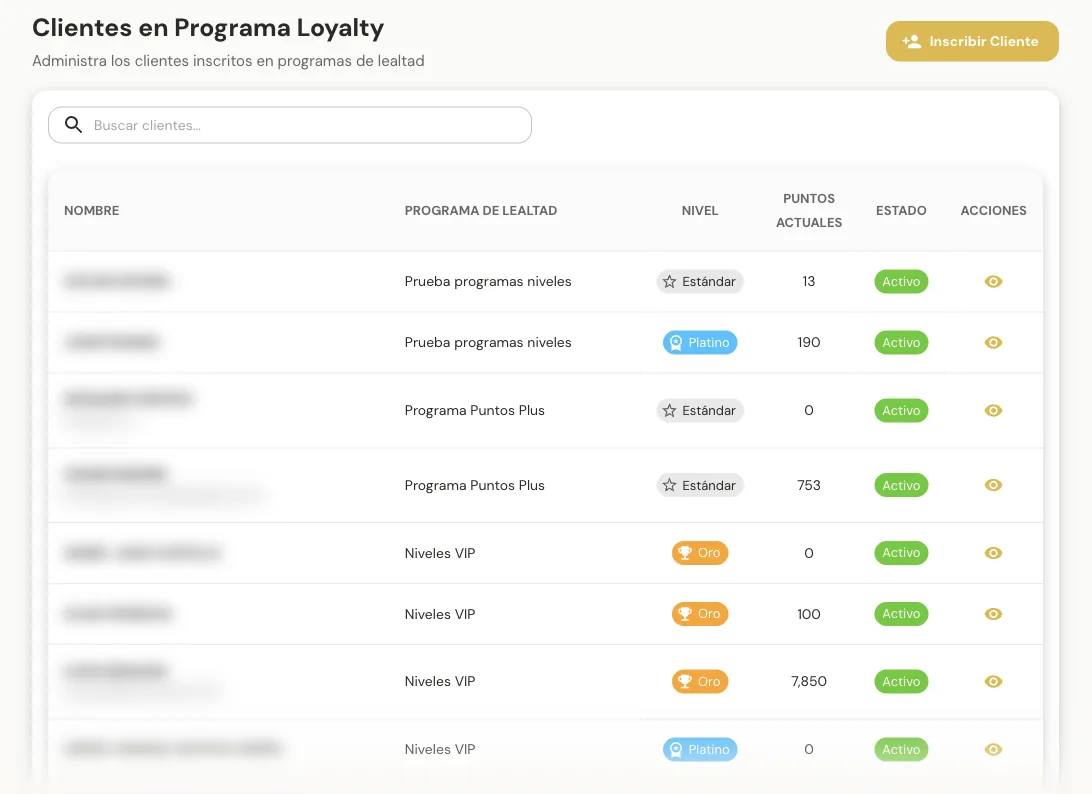
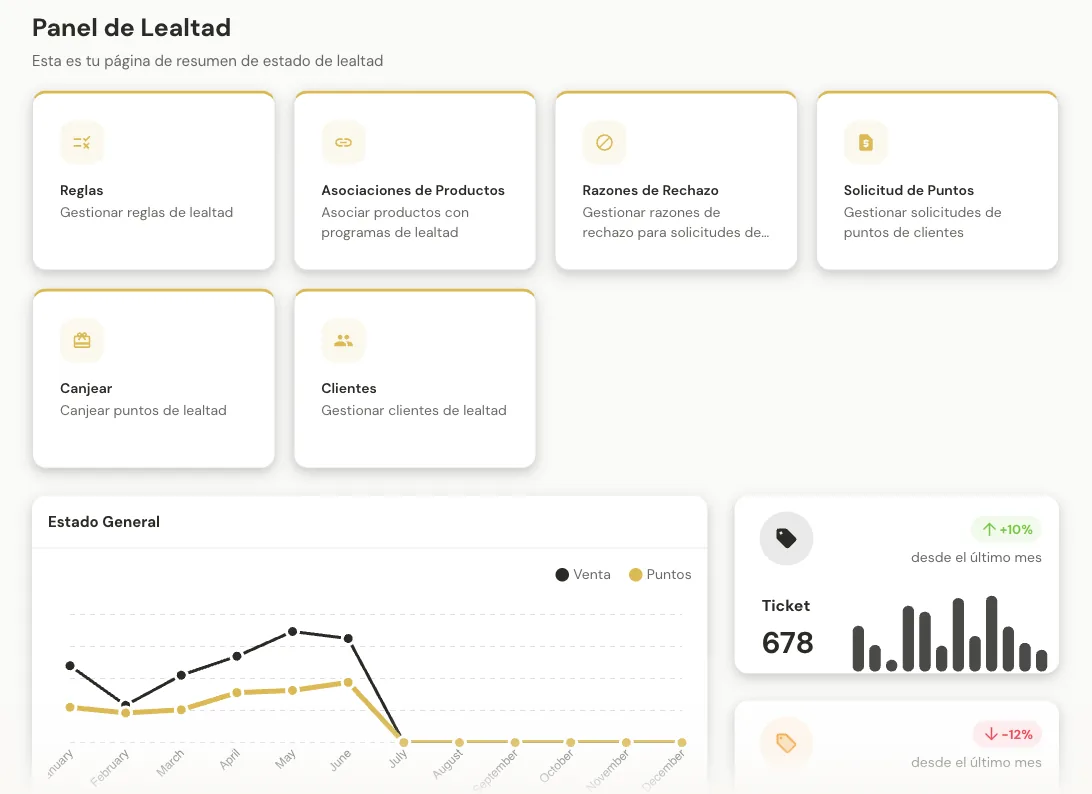
Reward the customers who come back
What it isCreate and run loyalty programs —points, tiers, cashback or coupons— and see who participates, which campaigns are live and what results they bring.
Who uses itMarketing and customer relationship teams.
An end-of-month campaign gives Gold-tier customers double points, then measures how many redeemed.
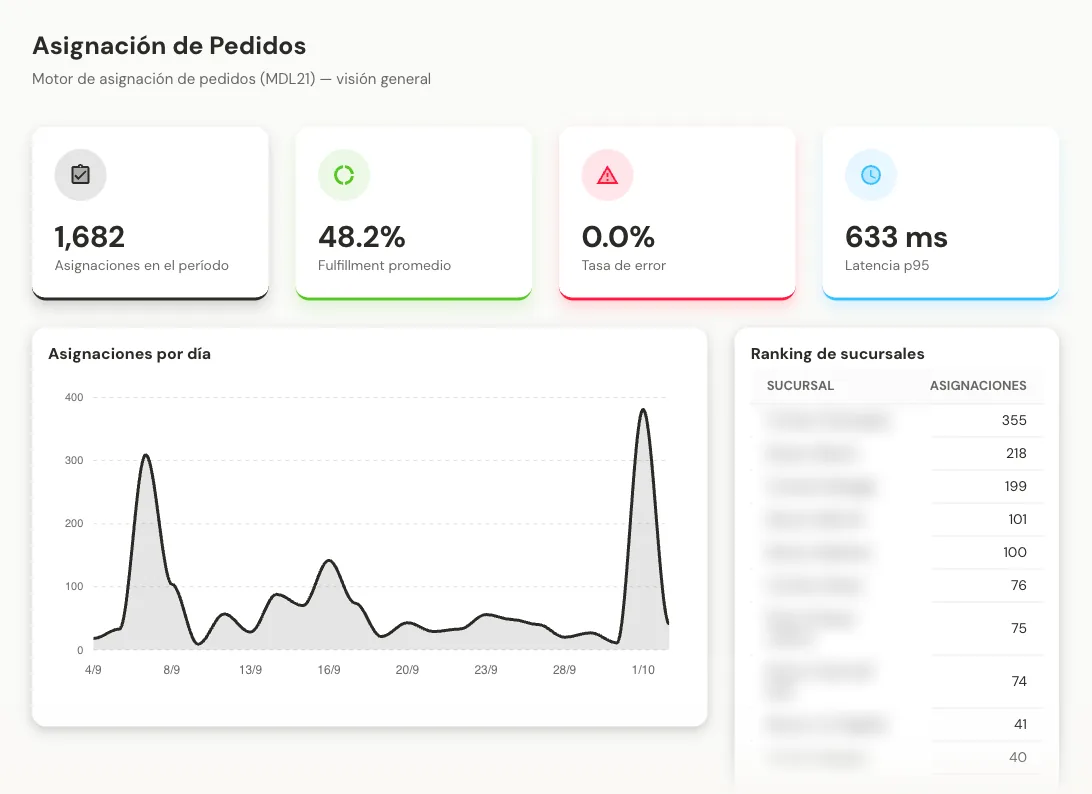
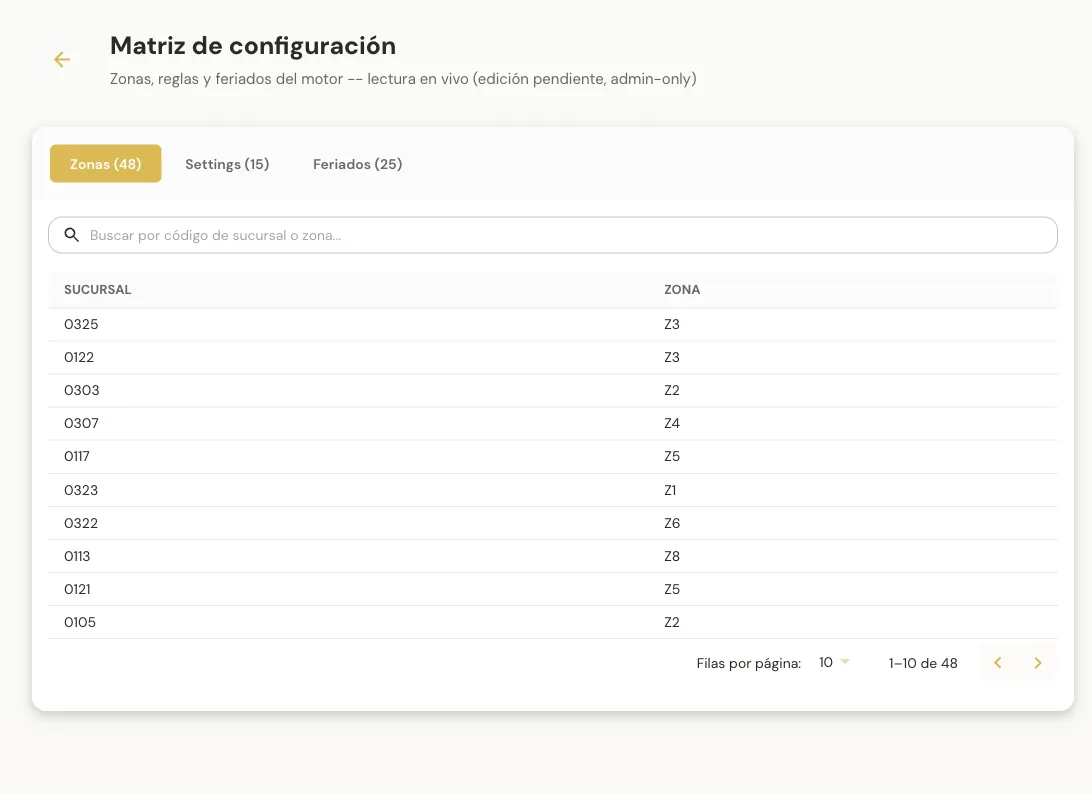
Decide which branch fulfills each order
What it isAn engine that decides, for every order, which branch fulfills it and the estimated delivery date. Its screens let you monitor it, review decisions, simulate and configure it.
Who uses itLogistics, operations and whoever configures delivery rules.
Before opening a new delivery zone, the team simulates orders to see which branch would serve them and when.
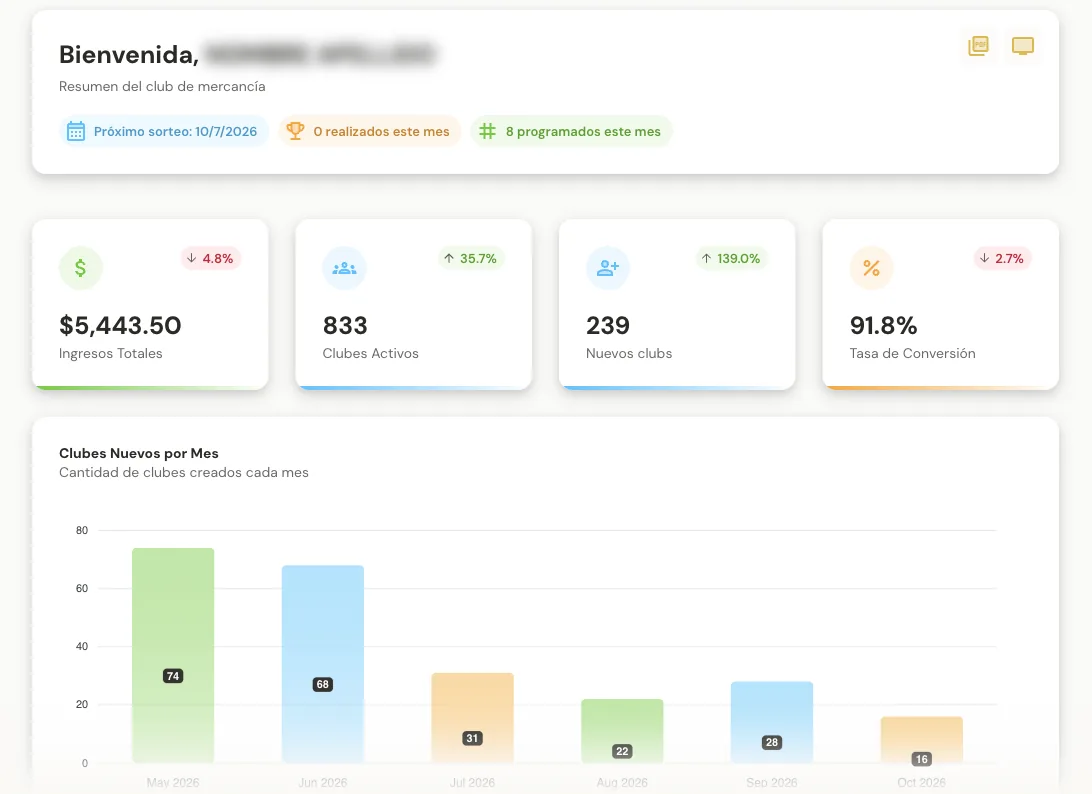
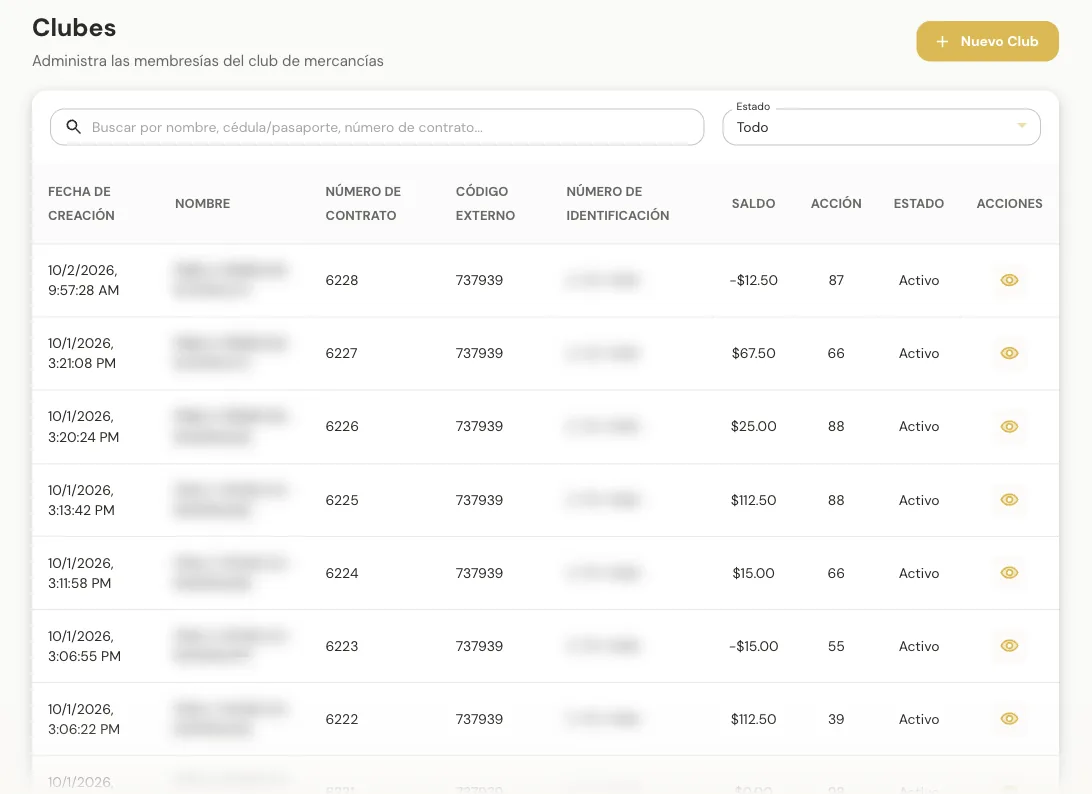
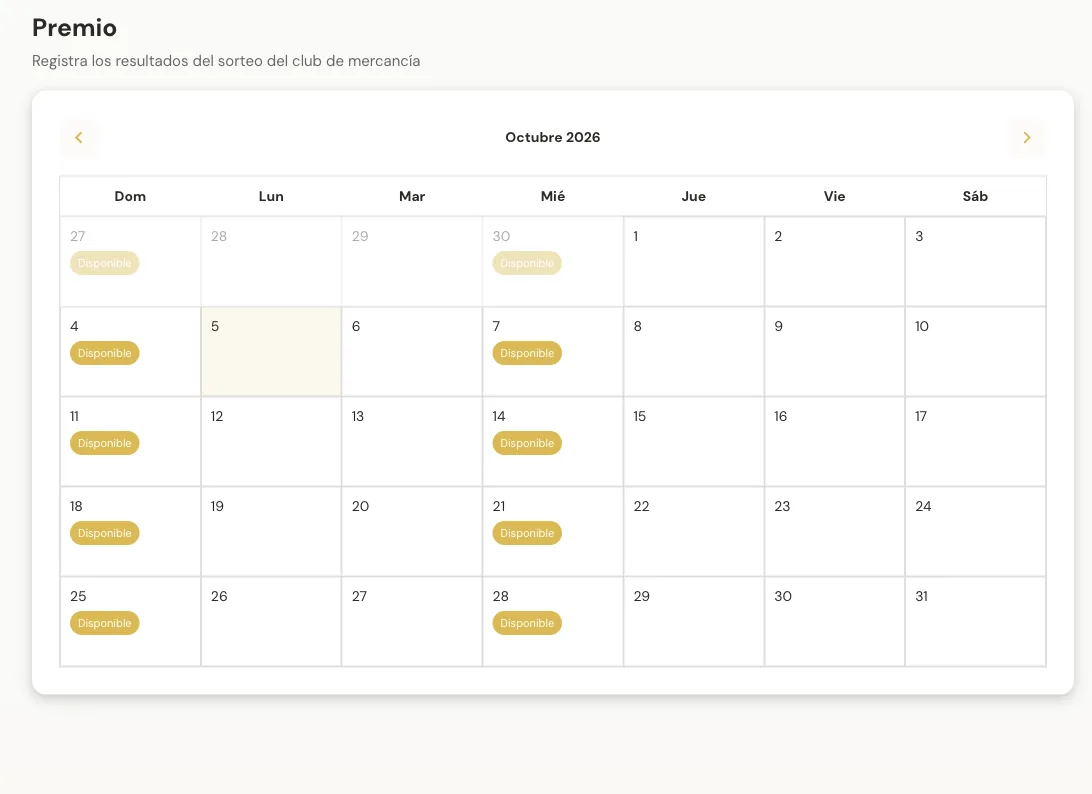
Clubs with weekly payments, draws and prizes
What it isManage merchandise clubs: sign-ups, weekly payments, balances, draws, prizes, municipal taxes and reports.
Who uses itStaff who run the clubs and serve their members.
A new club is registered, weekly payments are tracked and the month’s draw calendar is checked.
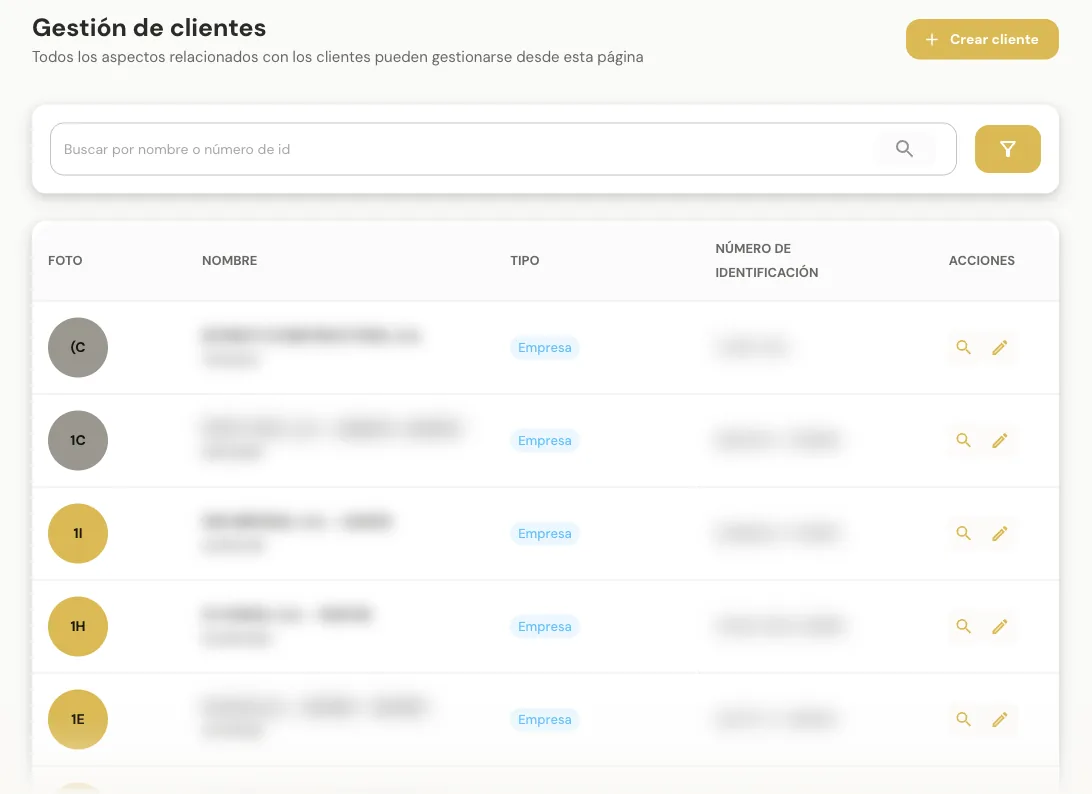
The complete profile of every customer
What it isCreate and maintain customer records, individuals or businesses: general data, contacts, addresses, stores, assigned price list and credit accounts.
Who uses itSales and customer service.
A business customer is created with its branches and assigned the price list that applies to it.
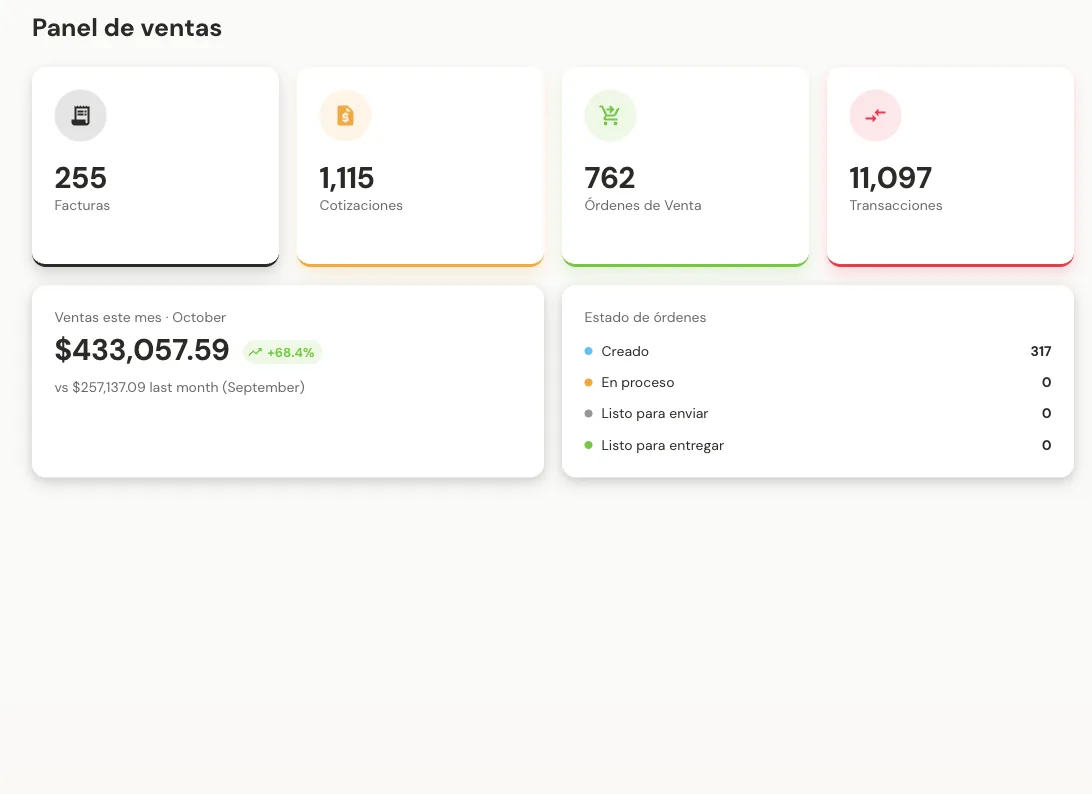
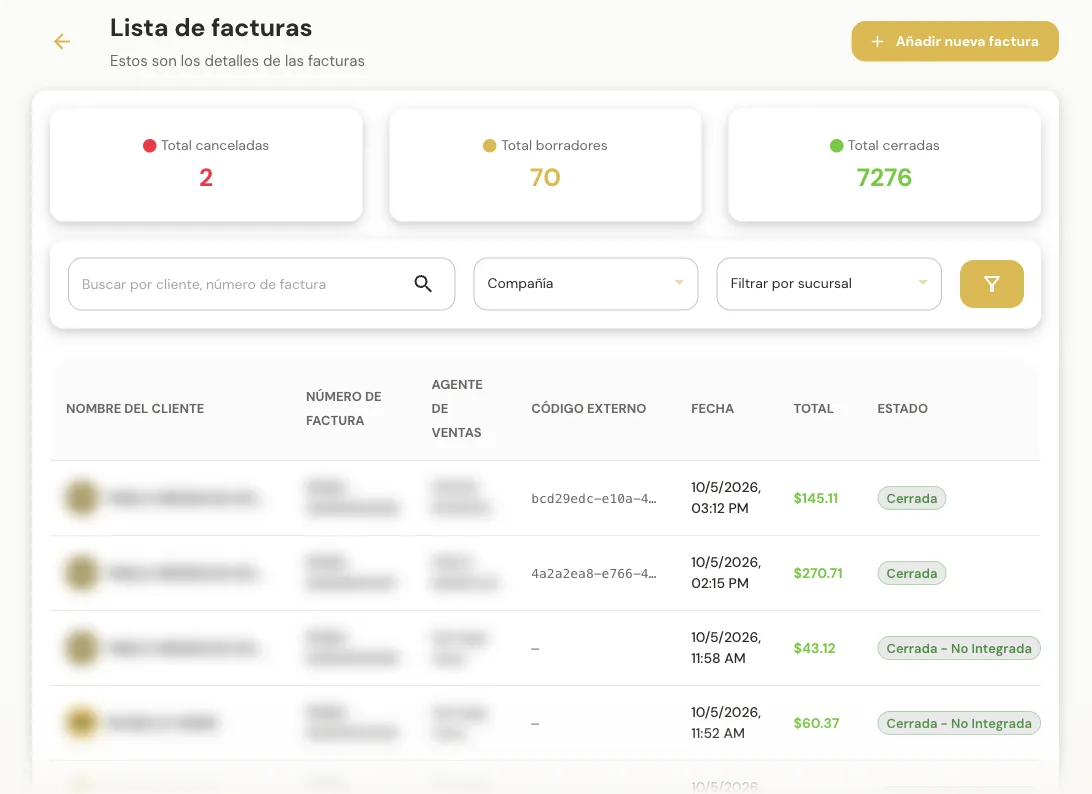
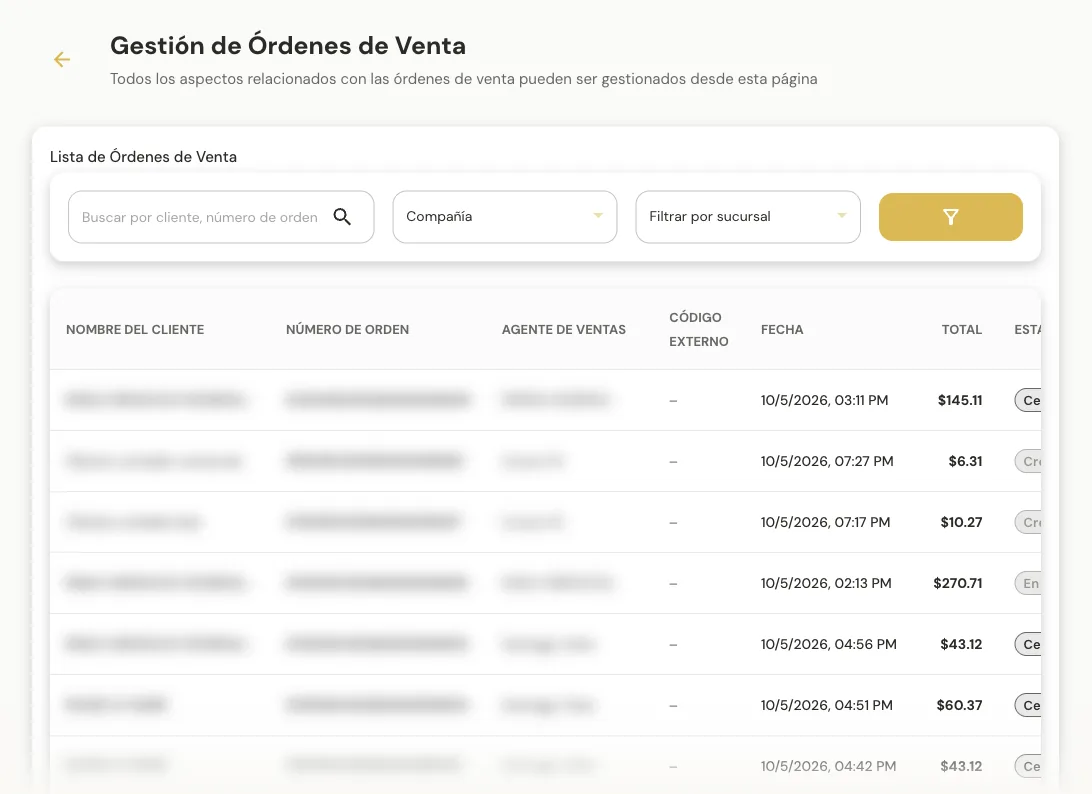
Invoices, quotes and orders in one dashboard
What it isBrings together invoices, quotes, sales orders and transactions from your sales channels, with totals and per-document detail.
Who uses itSales, accounting and management.
Accounting filters a month’s invoices by branch and exports them to Excel for closing.
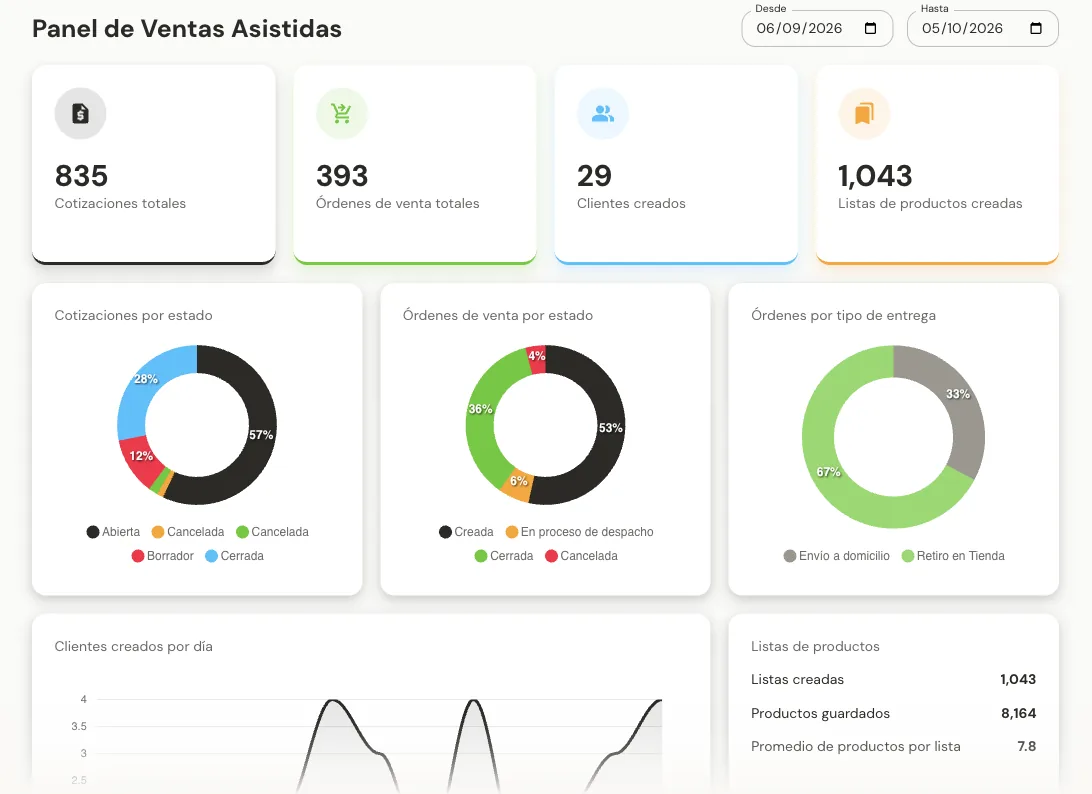
Sales guided by a rep
What it isBrings together sales where a rep assists the customer, from the mobile app (VAM) or the web portal (VAD): quotes, orders, customers created and product lists.
Who uses itSales reps and their supervisors.
A supervisor checks how many of this week’s quotes already turned into orders.
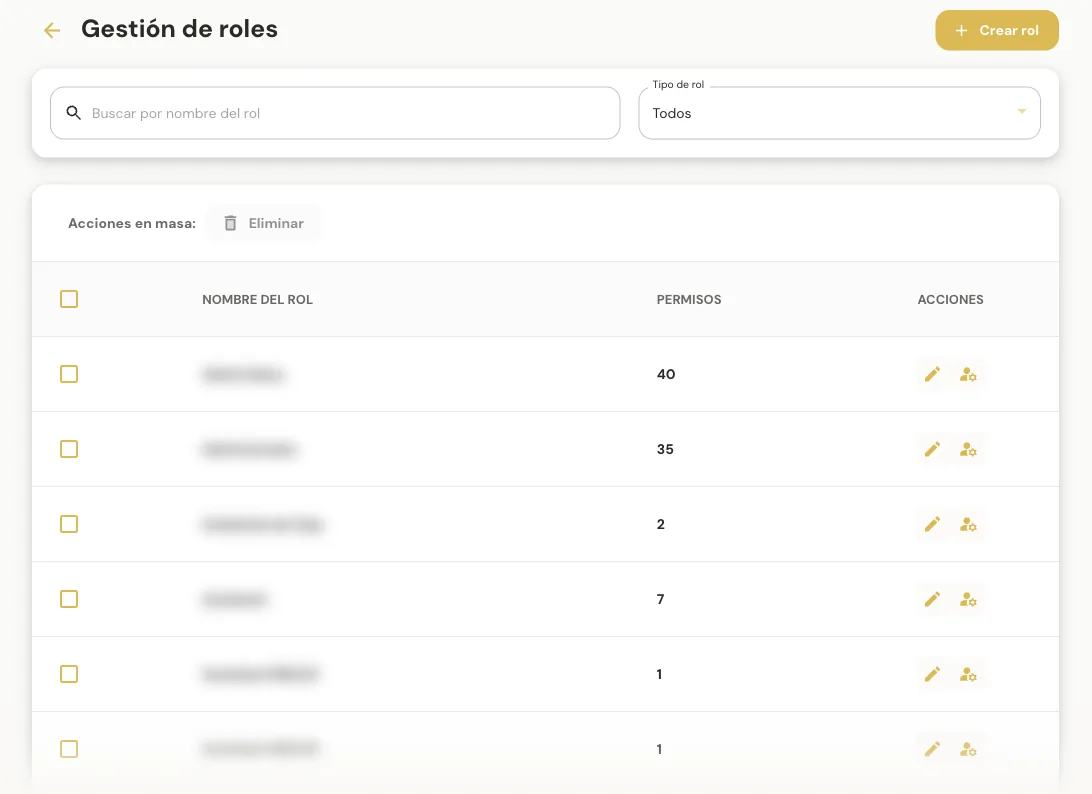
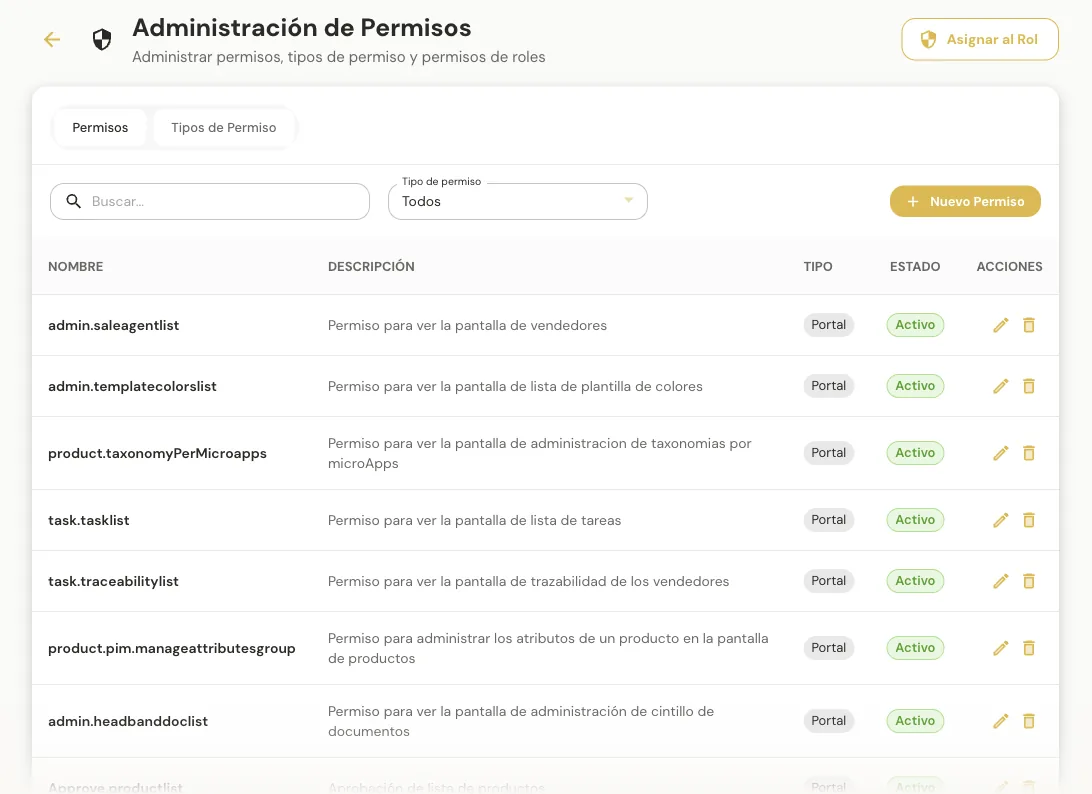
Who can do what inside the portal
What it isManage the people using the system and their permissions: users, roles, companies and the access keys that connect Aludra to other systems.
Who uses itEach company’s system administrators.
A new rep’s user is created with a role that only shows the sales screens.
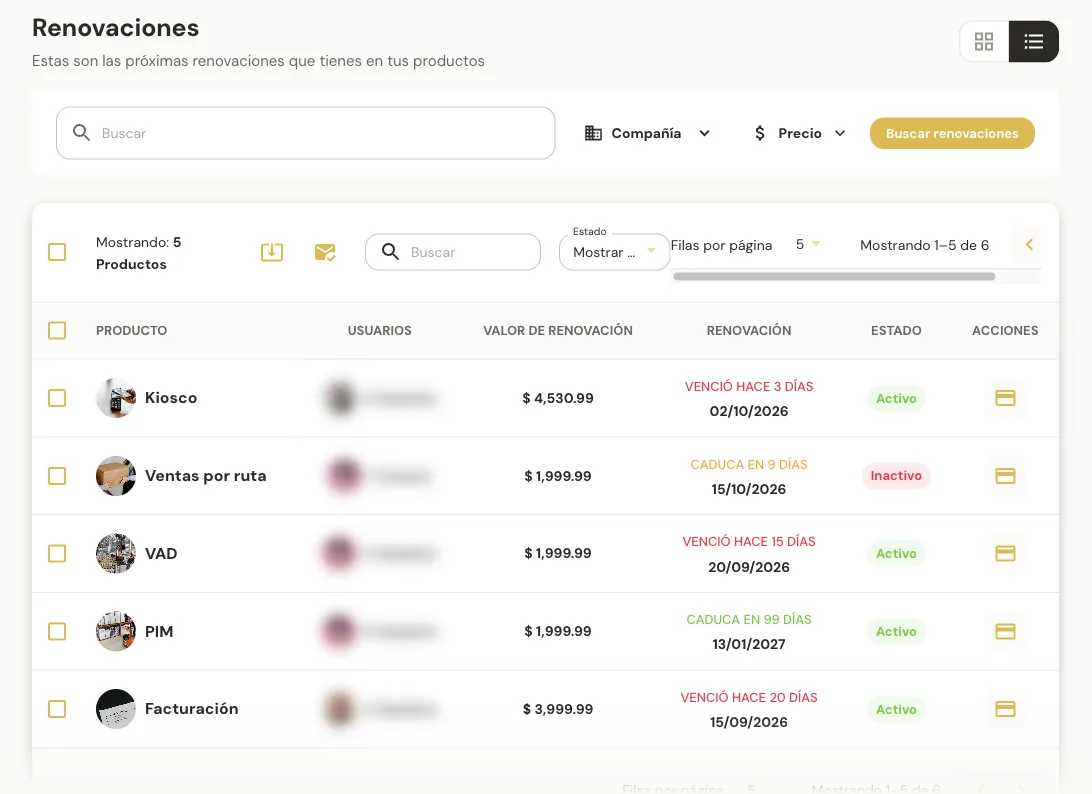
Subscribed services and their due dates
What it isTrack the modules and services the company subscribed to: their value, due date and status, with direct access to payment.
Who uses itThe company’s account administrator.
Before a service expires, the administrator checks the calendar and renews with the saved payment method.
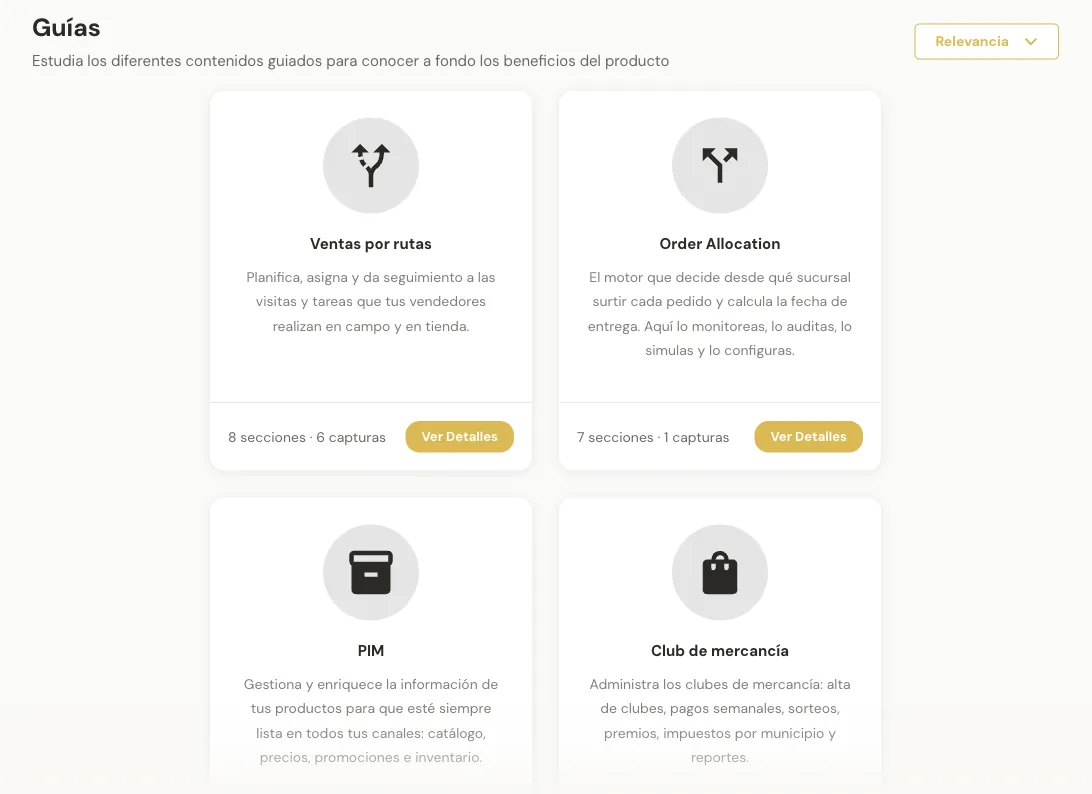
Learn how to use each module
What it isThe in-portal help center: illustrated step-by-step manuals per module, FAQs and access to an advisor.
Who uses itAnyone learning to use the portal.
A new team member opens the Customers guide to create their first business account.
Screenshots from a demo environment. Personal data has been hidden.
An illustrative example of how the modules connect across the operation.
Load the catalog, set prices and build promotions.
Register customers with their contacts, stores and price list.
Reps visit, quote and take orders; everything lands in one dashboard.
Decide which branch ships each order and when it arrives.
Reward repeat purchases with points, tiers and campaigns.
Control users, permissions and subscribed services.
For each order, Aludra picks the branch that should fulfill it and the estimated delivery date, and lets you review the reasoning behind every decision.
KPIs, allocations per day and branch ranking.
History of processed orders with mode, branch, fulfillment and ETA.
Build a test order and run it against the engine without affecting live operations.
Zones per branch, settings and holidays in one place.
For companies that sell products —for example, retailers with several branches— and need catalog, sales, customers and deliveries working in sync.
Onboard products, set prices and prepare promotions.
Plan visits, quote and take orders in the field or in store.
Build points programs, tiers and campaigns that reward repeat purchases.
Monitor which branch ships each order and tune delivery rules.
Review KPIs, invoices and orders, and export to Excel for closing.
Control users, roles, permissions and subscribed services.
Accessed from the browser; Assisted Sales adds a mobile app.
Fine-grained permissions per screen, function and company.
Access keys to integrate Aludra with other systems.
Illustrated guides per module, FAQs and an advisor.